

Prospect Spark
Describe who you sell to. Get a list you can call today.
Prospect Spark reads a plain description of your ideal customer, searches the live web, and brings back real companies with the people who sign things off. They land in the same system you run your outreach and your pipeline from, so nothing gets exported and nothing gets lost.
14 days free. No credit card.
- 14 days free
- No credit card
- Unlimited users
The problem
Buying a list is the easy part.
Most teams already pay for prospect data. What costs them the week is everything that happens to the list afterwards.
What actually goes wrong
The list lives somewhere else
You search in one tool, export a spreadsheet, tidy it, then upload it into the CRM. By Thursday there are two versions and neither is right.
You pay per seat for it
Contact data is usually priced by the person, so the second rep costs the same as the first and nobody shares a login without breaking the terms.
Nobody remembers why they are on it
A name with no reason attached gets one call and then sits there. The list is not the problem. The missing context is.
How it works
From a sentence to a list, in one screen.
No boolean strings, no filter maze, and no export.
The search
Say it the way you would say it to a new starter
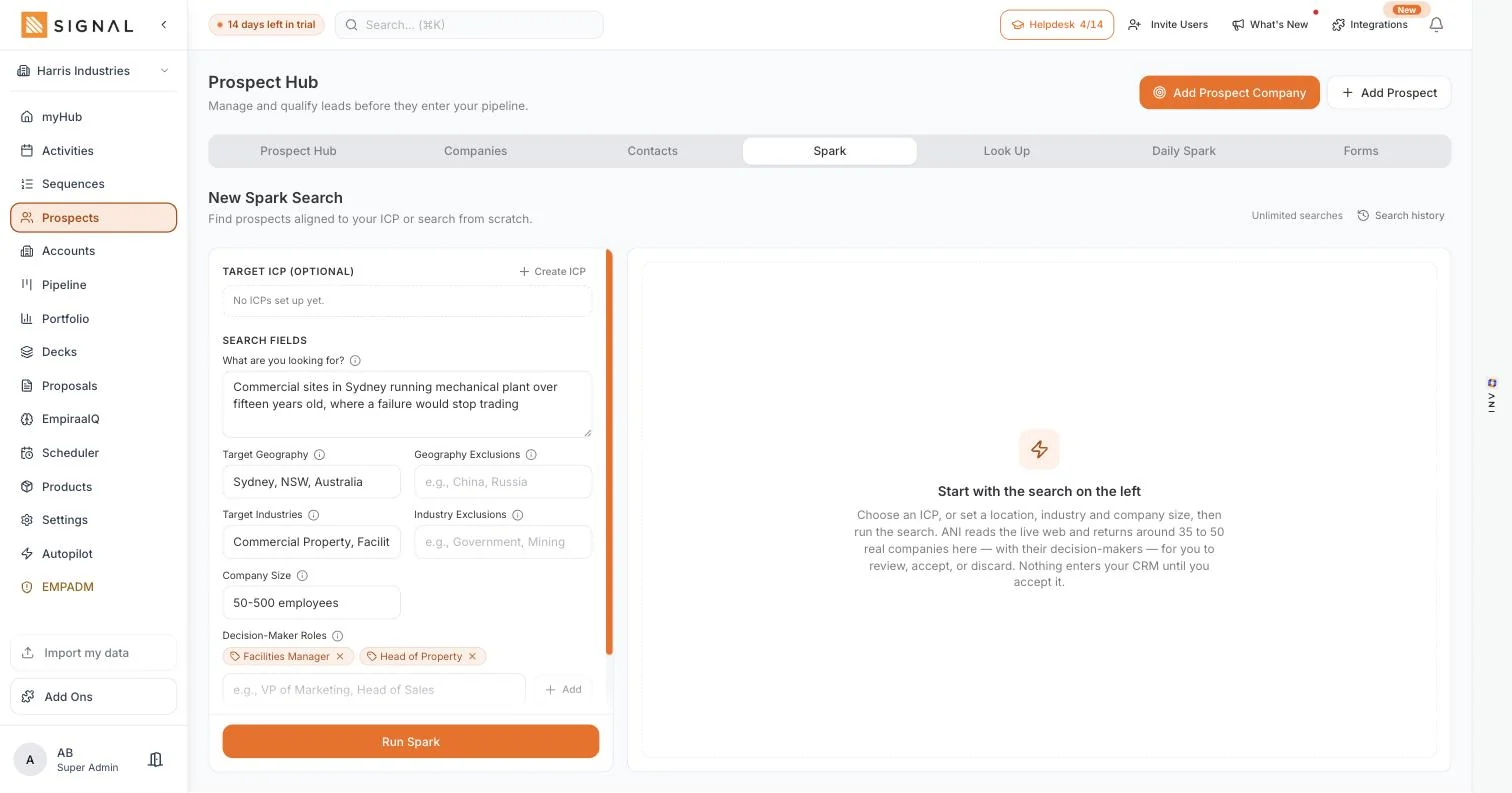
Write who you sell to in plain words. "Commercial sites in Sydney running plant over fifteen years old, where a failure would stop trading" is a search. ANI works out what that means and goes looking.
- Geography, industry and company size, with an exclusion field beside each one
- Name the job titles that sign things off, and it returns those people
- Save it as an ideal customer profile and run it again next month
Around thirty-five to fifty real companies, for you to judge
Spark reads the live web rather than a list someone bought in 2023. What comes back is a set of companies with their decision-makers, ready for you to accept or discard one at a time. Nothing enters your workspace until you say so.
- Accept the ones worth calling, discard the rest, and the discards do not come back
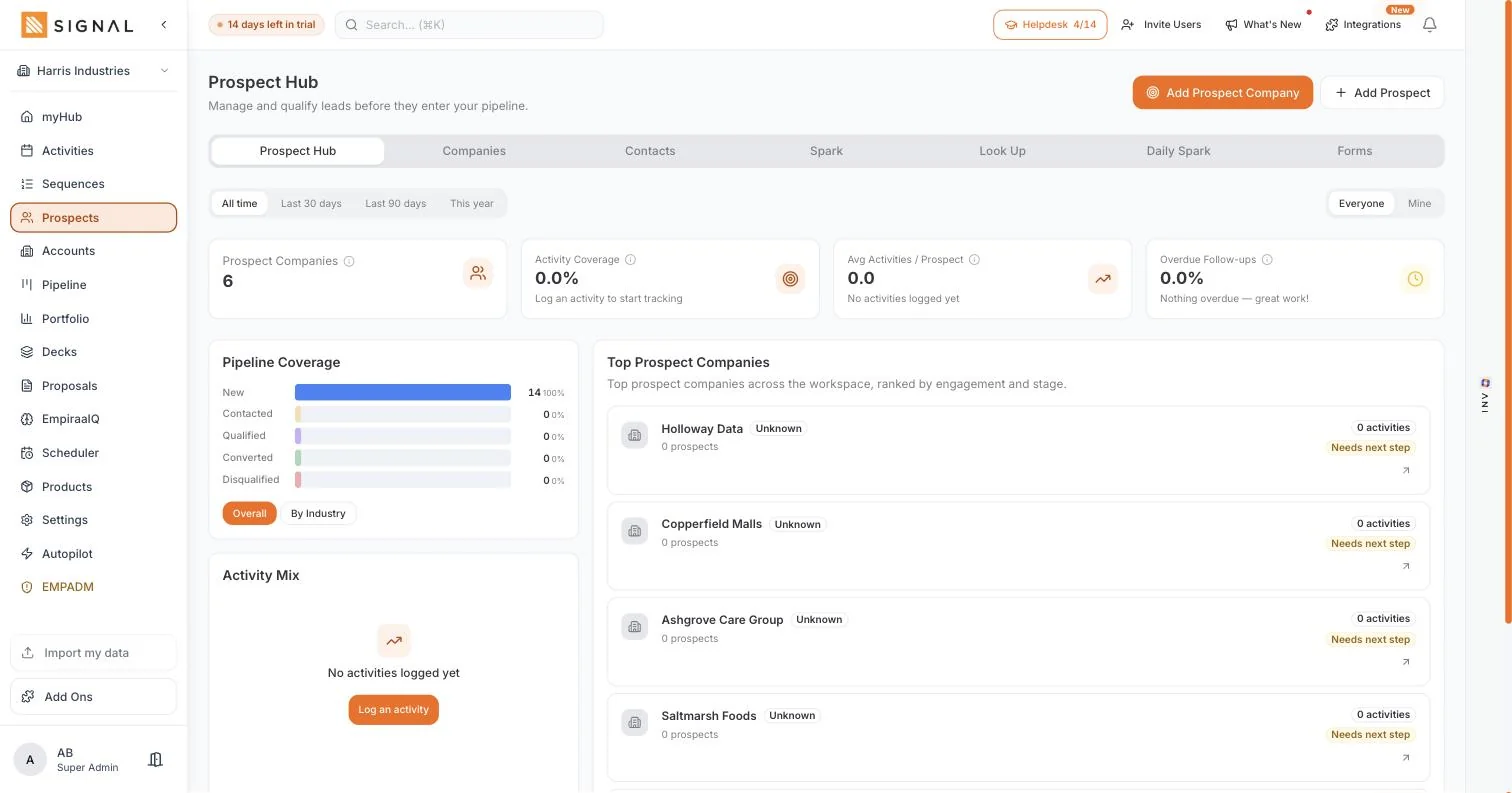
- Accepted companies land in the Prospect Hub, not straight into your pipeline
- Run it again whenever you want, against the same profile or a new one
The people, and a way to reach them
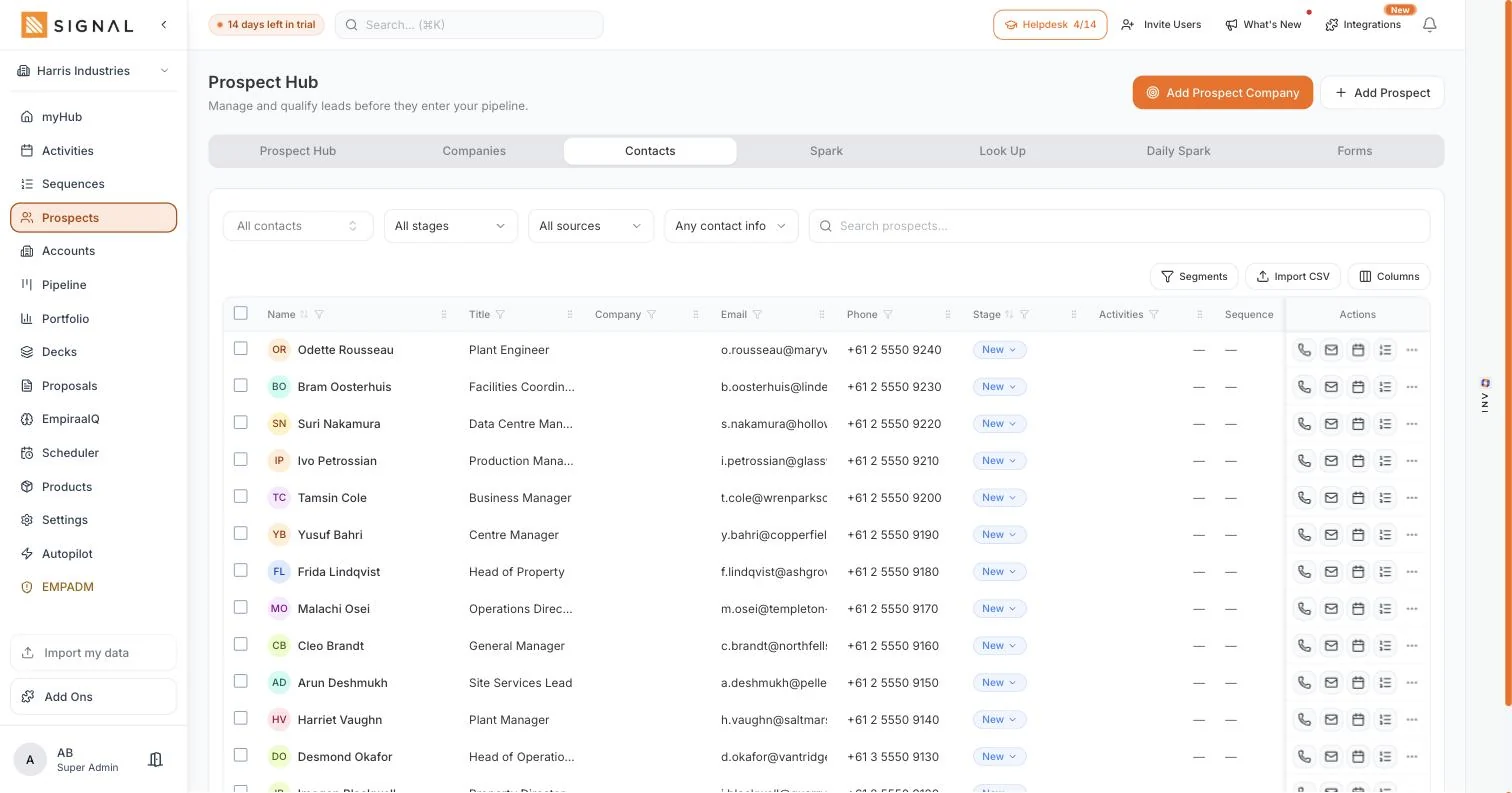
Each company comes with the contacts that matter, and you reveal the email and direct number when you are ready to use them. Reveals are metered on your workspace for the week, so a second rep does not double the bill.
- 150 key contact reveals a week on the entry plan
- 250 company lookups a week alongside them
- Call, email, book a meeting or drop them into a sequence, from the row
Every plan has every feature. The difference between them is volume.
Explore Signal freeWhat you get
Everything a data tool does, and then the rest of the job.
This is the part that is normally a second subscription.
In Prospect Spark
Ideal customer profiles
Build one in the ICP Creator, with target industries, sizes, decision-maker roles and buying triggers. Spark, ANI, proposals and decks all read from it.
Daily Spark
A standing search that runs overnight and emails you the new matching companies each morning, so the day starts with names rather than a blank screen. On by default, on every plan.
How Daily Spark worksCompany Look Up
Type a company you already know and get its people, its size and its signals back without leaving the app.
A holding area
Prospects sit in the Prospect Hub until they are real. Your pipeline stays a forecast rather than a wish list.
Coverage you can see
Activity coverage tells you what share of the list anyone has actually touched. It is the number that shows a list was worked and not just bought.
Straight into outreach
Accept a prospect and they are one click from a sequence, a call, a booking link or a deal. No export, no re-upload.
Getting started
A list on your first afternoon.
This is the part of a trial that usually takes a fortnight.
Four steps
- 5 minutes
Describe the customer
A few sentences. You already know this, you have just never had to write it down.
- 2 minutes
Run the search
Spark comes back with companies and the people inside them, with a reason attached to each.
- 10 minutes
Accept the good ones
Judge them the way you would judge a referral. Discards never come back.
- Same day
Start the outreach
Drop them into a sequence or pick up the phone. It is the same system either way.
By role
What it changes, seat by seat.
The same feature is a different thing depending on what your week looks like.
Who feels it
A sales rep
The morning starts with a list instead of a blank screen, and the list has a reason on it.
Learn moreA sales manager
Coverage is a number now. You can see whether the top of the funnel was worked or bought.
Learn moreA founder
It replaces the afternoon you were going to lose to LinkedIn, and it runs while you do something else.
Learn moreA CEO or owner
You can see whether new pipeline is being created or the team is recycling the same names.
Learn moreQuestions
Prospecting questions, answered.
Where does the data come from?
ANI searches the live web against the profile you set, rather than serving rows from a database someone compiled years ago. That is why the companies it returns are current, and why you review them before they enter your workspace.
What counts as a fresh prospect?
A company Prospect Spark finds that was not already in your workspace, matched against the ideal customer profile you set. Launch includes 2,000 a month, Drive 5,000, and Command 13,000. See the plan limits.
Is it priced per user?
No. Every Signal plan includes unlimited users, and prospects, reveals and lookups are metered on your workspace. Adding a second rep gives you another person searching, not another bill.
Do I have to use the list it finds?
No. You accept or discard each company. Discarded ones do not come back, so the search gets sharper the more you use it, and nothing you rejected clutters your reporting.
Can I bring the prospects I already have?
Yes. Prospects, accounts, contacts and deals all import from a CSV or a spreadsheet export, and ANI maps your columns for you. Most people bring their existing list in on day one and use Spark to add to it.
How is this different from Apollo or ZoomInfo?
Those find the list and stop. In Signal the list, the outreach, the follow-up, the deck, the proposal and the forecast are the same system, so there is no export and no second subscription. Compare Signal and Apollo.

Question not answered here? Ask ANI and get a straight answer.
Build your first list this afternoon.
14 days free. No credit card. Unlimited users from the first minute.