

Autopilot
You decide how much runs itself.
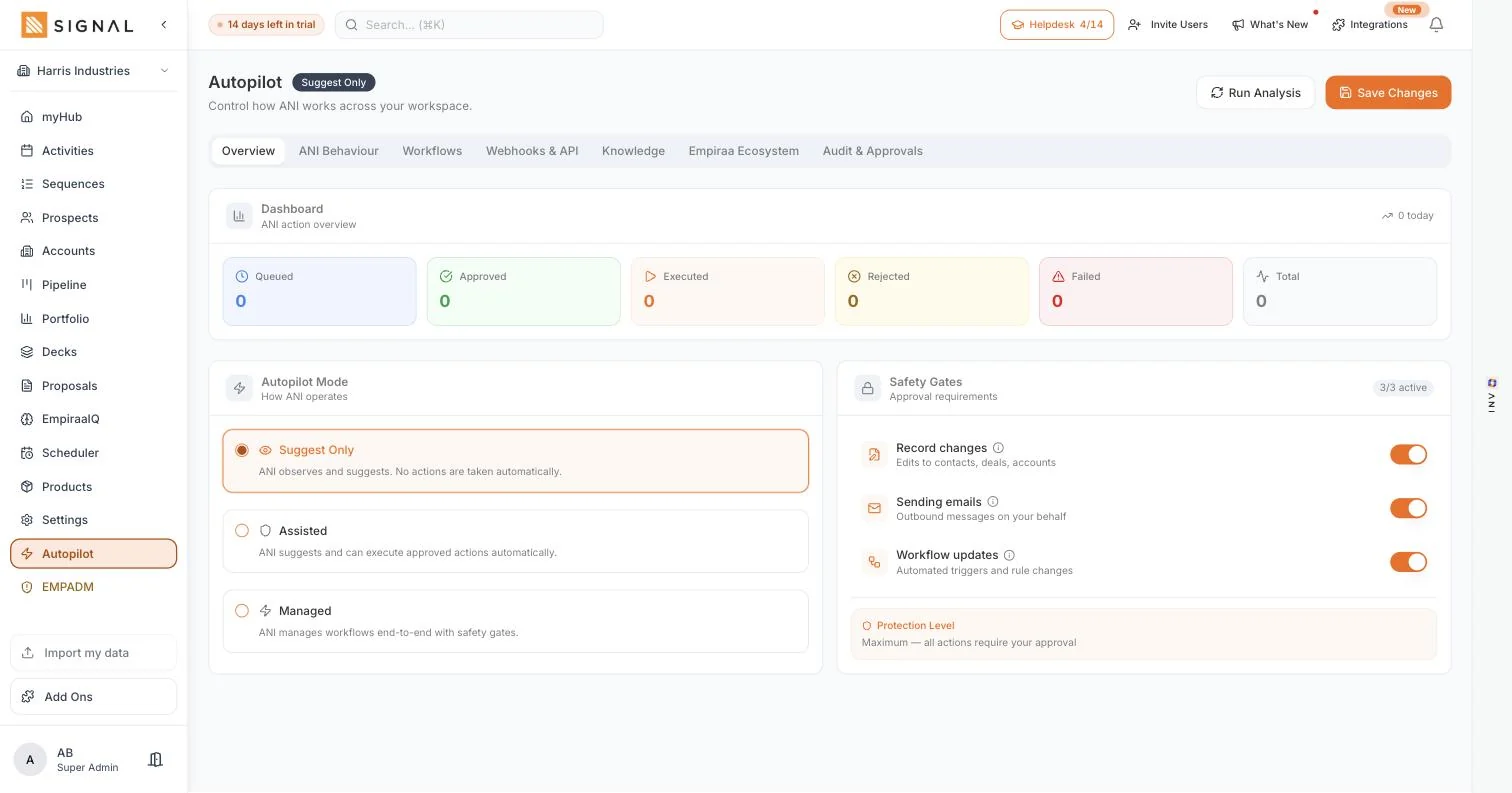
Autopilot is one screen with three modes and three gates on it. Suggest only, assisted, or managed, with approval required for changing records, sending email and updating workflows. The cautious setting is the default, and you move off it when you are ready, not before.
14 days free. No credit card.
- 14 days free
- No credit card
- Unlimited users
The problem
Automation is sold as all or nothing.
Either it does nothing useful, or it is doing things on your behalf that you find out about later.
Why teams turn it off
It sends something you would not have sent
One badly aimed email to a real customer costs more goodwill than a month of automation saves, and the person who set it up is the one who has to ring them.
It changes records quietly
Fields rewritten in the background are the fastest way to stop trusting your own data, because you can no longer tell what a person put there.
Or it is so timid it is pointless
The other end of the scale: suggestions nobody reads, in a panel nobody opens, saving nobody anything.
How it works
Three modes, three gates.
The mode says how far ANI may go. The gates say what always needs a person.
Autopilot
Start on suggest only
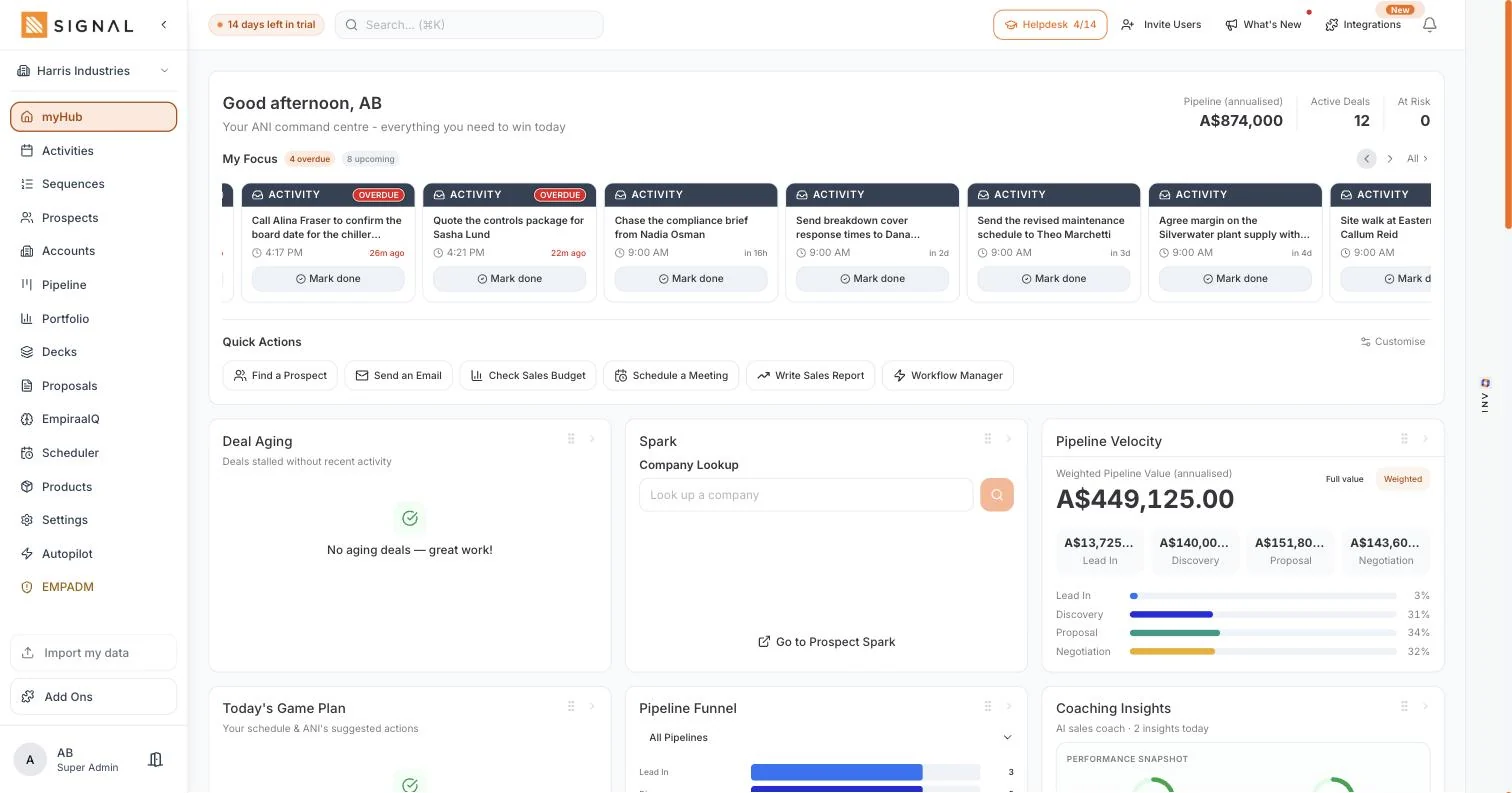
ANI proposes and you act. It reads the pipeline, the overdue follow-ups and the accounts going quiet, and puts the work in front of you in an order worth doing. Nothing is changed and nothing is sent.
- Suggestions on myHub and against the records they concern
- Nothing is written to a record and nothing leaves the workspace
- The mode a team should stay on until it trusts what it is seeing
Move to assisted, then managed, when you want to
Assisted prepares the work and waits for you. Managed lets the routine parts run, within the gates you have left on. It is a dial you turn deliberately rather than a switch somebody flipped in a settings page.
- Three modes, changed in one place, in force straight away
- Move up for the routine work and leave the sensitive parts gated
- Move back down at any time without losing anything
And the gates hold whatever mode you are in
Approval required for changing records, for sending emails and for updating workflows. These are the three ways automation does damage, so each has its own gate, and you can leave one on while the rest run.
- Record changes need approval, so your data stays yours
- Sending email needs approval, so nothing reaches a customer unseen
- Automation runs are metered on the workspace: 500 automation runs a month on Launch, 2,000 automation runs a month on Drive, 10,000 automation runs a month on Command
Every plan has every feature. The difference between them is volume.
Explore Signal freeWhat you get
Control that is actually visible.
In Autopilot
Suggest only
ANI proposes, you act. Nothing is written and nothing is sent.
Assisted
The work is prepared and waiting, and you release it.
Managed
The routine parts run inside the gates you leave on.
Approval for record changes
So a field is never rewritten behind you.
Approval for sending email
The gate that matters most, and it is on by default.
Approval for workflow updates
Nothing reshapes how your team works without somebody agreeing to it.
Getting started
Earn the trust, then turn the dial.
Four steps
- Weeks one and two
Stay on suggest only
For the first fortnight. Read what it proposes and see whether you agree.
- Week three
Move to assisted
Once the suggestions are the ones you would have made anyway.
- Ongoing
Leave the email gate on
Long after you are comfortable with the rest. There is no prize for turning it off.
- Monthly
Review it monthly
Mode and gates on one screen, so a five-minute check is enough.
By role
What it changes, seat by seat.
Who feels it
A CEO or owner
You can answer exactly what the AI is allowed to do, from one screen.
Learn moreA sales manager
The routine chasing runs, and the messages that reach customers still get read first.
Learn moreA sales rep
The admin is prepared for you, and nothing is sent in your name that you have not seen.
Learn moreA founder
You get leverage without handing your customer relationships to something you cannot watch.
Learn moreRelated
Keep exploring Signal.
Related pages

Questions
Autopilot questions, answered.
Will Signal email my customers without me knowing?
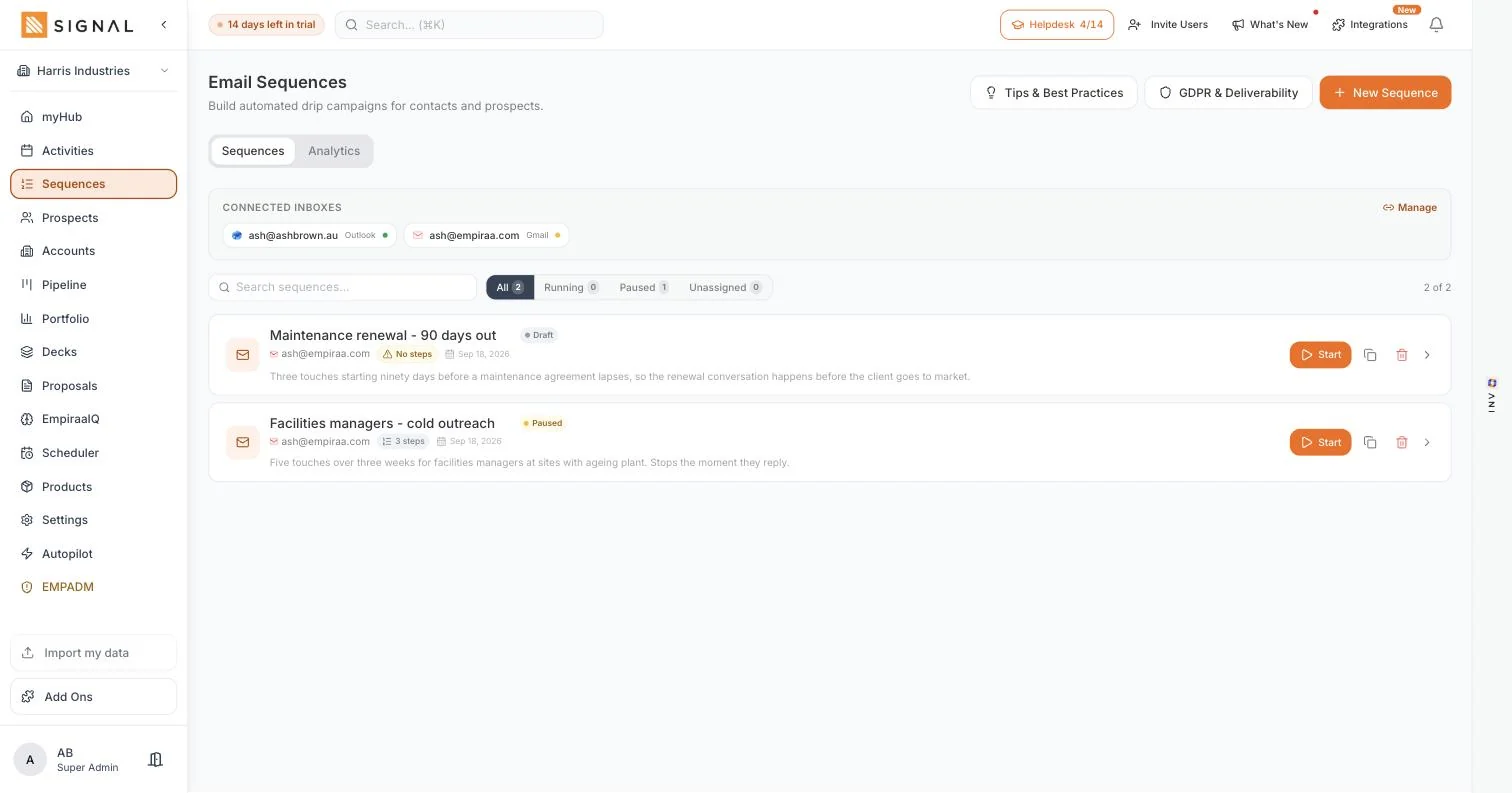
No. Approval for sending email is a gate you control, and a sequence only sends once you start it and enrol someone. Drafting and sending are deliberately separate. More on sequences.
What is the difference between the three modes?
Suggest only proposes and changes nothing. Assisted prepares the work and waits for you. Managed lets the routine parts run inside whichever gates you have left on.
Can I turn one gate off and keep the others?
Yes. The gates on record changes, sending email and workflow updates are separate, so you can let the routine work run while anything that reaches a customer still needs a person.
Can I go back to a more cautious setting?
Yes, at any time, and nothing is lost by doing it. Most teams sit on suggest only for a fortnight and move up once the suggestions match what they would have done anyway.
How many automation runs do I get?
Launch includes 500 automation runs a month, Drive 2,000 automation runs a month and Command 10,000 automation runs a month. The limit is on the workspace rather than per seat. See the plan limits.
Who can change these settings?
Permissions are set by role, so you decide who can change the mode and the gates. It is not a setting every user can quietly move.

Question not answered here? Ask ANI and get a straight answer.
Automate the routine. Keep the last word.
14 days free. No credit card. Unlimited users from the first minute.