

Scheduler
Send a link. Let them pick the time.
Your own booking page, on your own event types and your real availability. The difference is what happens after the click: the meeting lands on the deal, the follow-up is created, and the sequence chasing that person stops.
14 days free. No credit card.
- 14 days free
- No credit card
- Unlimited users
The problem
Six emails to find half an hour.
The meeting was agreed on the call. The next week is spent arranging it.
Where the time goes
Three times that do not suit
You offer three slots, two are gone by the time they read it, and the thread starts again. Interest cools while the diary is negotiated.
The booking link is another bill
Scheduling is usually its own subscription, priced per user, which is a strange thing to pay for separately when the whole point is to book a sales meeting.
It lands in a calendar and stops
A meeting booked by an outside tool is an event with a name on it. Nothing updates the deal, nothing stops the sequence, and the follow-up still has to be typed out by hand.
How it works
Your page, your times, your deal.
The scheduler
A booking page that looks like you
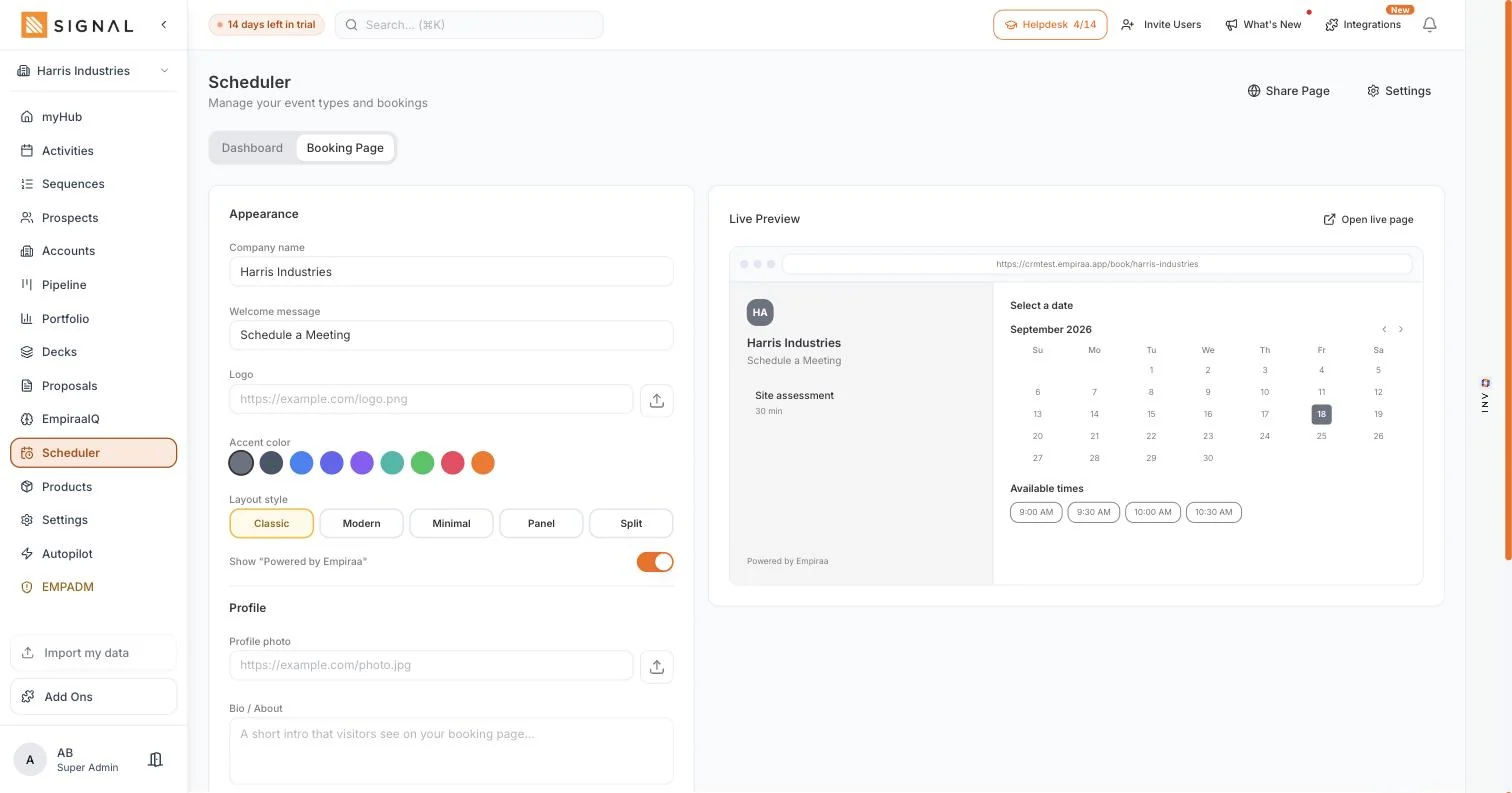
Set your company name, a welcome message, an accent colour and the layout, and watch the preview change as you go. The person booking sees your business, not a scheduling brand with your name in small type at the bottom.
- Your company name, welcome message, logo and accent colour
- Five page layouts, from a classic side-by-side to a single column
- A live preview while you build it, with the calendar and the open times
Event types for the meetings you actually run
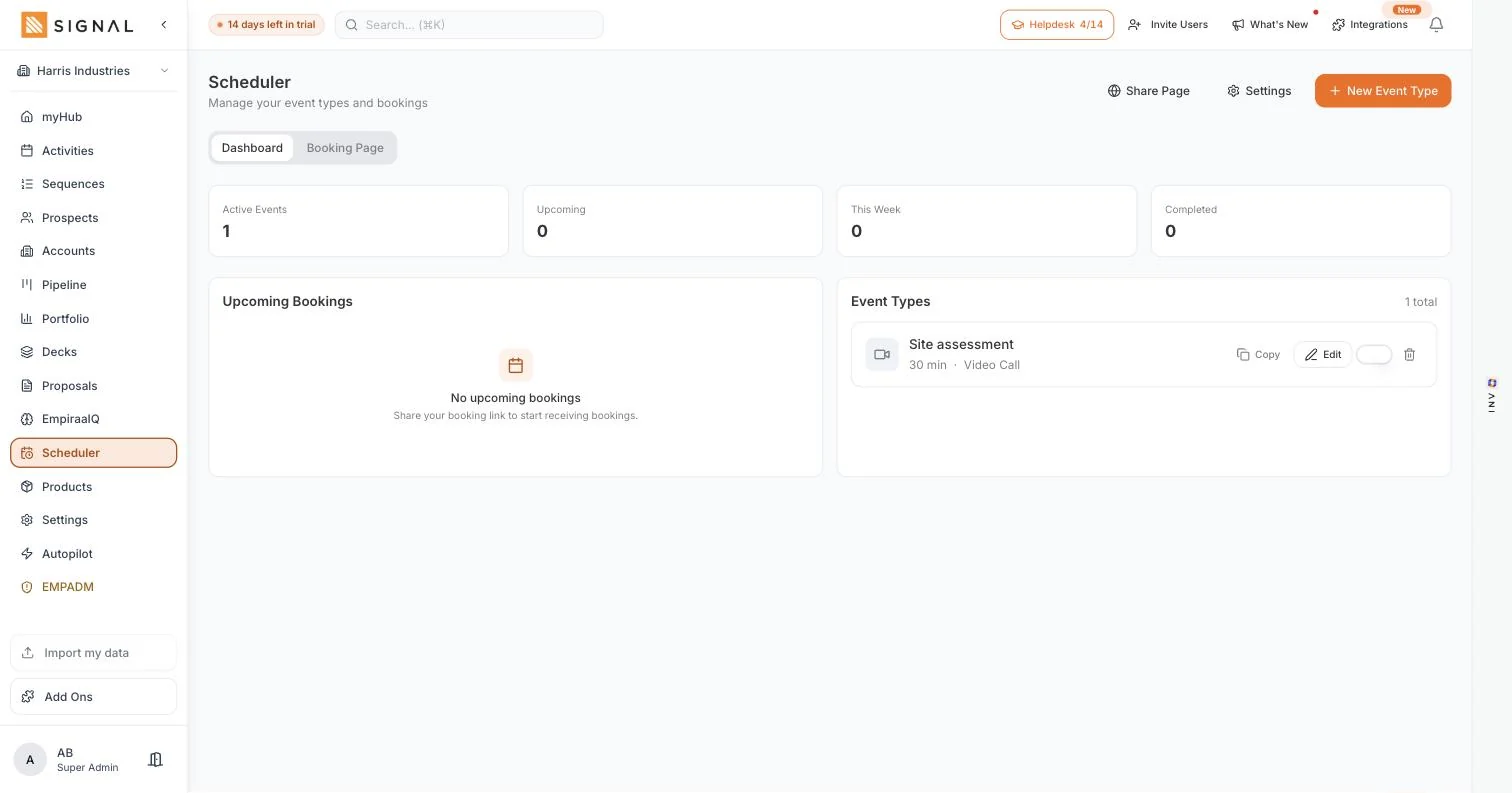
A thirty minute site assessment is a different thing from a fifteen minute intro call, so each gets its own length, its own questions and its own availability. You publish the ones you want and keep the rest off.
- Duration and meeting type per event, with your working hours behind it
- Reminders a day before and two hours before, and a thank-you after
- Upcoming bookings in one list, so the week is visible at a glance
And the booking does the admin
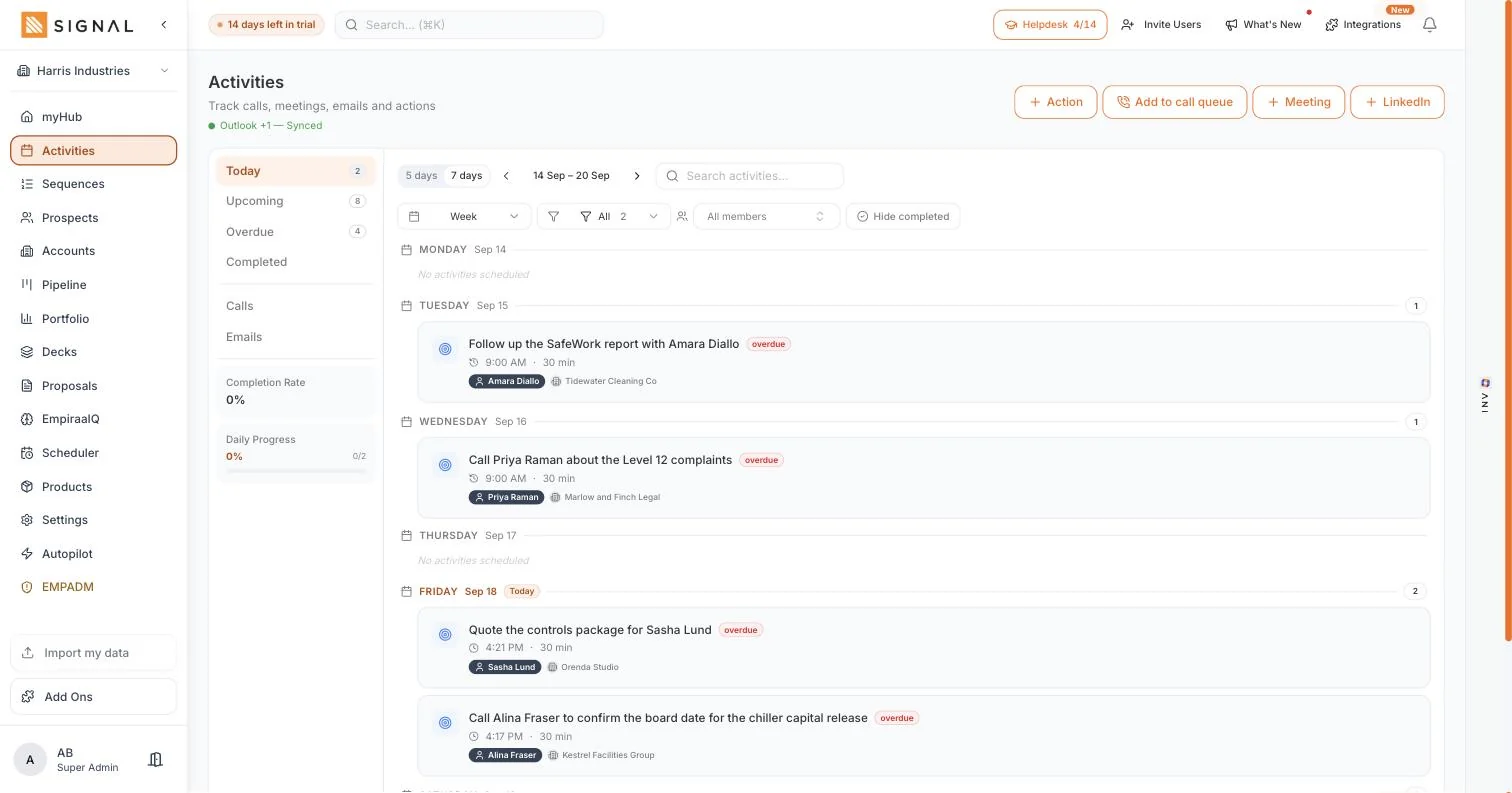
When somebody books, the meeting is created against the account and the deal, the follow-up activity is there waiting, and any sequence chasing that person stops. Nobody gets an automated nudge the day after they agreed to meet you.
- The meeting attached to the deal, not floating in a calendar
- The sequence ends, because a booking is an answer
- The activity list shows it, so the prep is on the same screen as the call
Every plan has every feature. The difference between them is volume.
Explore Signal freeWhat you get
The whole booking flow, in the plan.
In the scheduler
A branded booking page
Your name, your message, your colour, your layout. Built in the app, with a preview beside it.
Your own event types
A site assessment, an intro call, a review. Each with its own length and availability.
Calendar sync
Google Calendar and Outlook. It offers what is actually free, and the booking lands in your diary.
Learn moreWrites back to the deal
The meeting, the contact and the follow-up all land on the record they belong to.
Learn moreStops the sequence
Booking is a reply. Nobody is chased for a meeting they have already agreed to.
Learn moreThe meeting link, made for you
Teams from an Outlook booking, or Zoom when you connect it. You do not create the link.
Learn moreGetting started
Live this afternoon.
Four steps
- 2 minutes
Connect your calendar
Google or Outlook. It reads your real availability from there.
- 10 minutes
Build the page
Name, message, colour, layout. The preview shows you what they will see.
- 5 minutes
Add one event type
Start with the meeting you run most. Thirty minutes is usually the right answer.
- 5 minutes
Put the link everywhere
Signature, sequences, quotes. The link only works if people meet it.
By role
What it changes, seat by seat.
Who feels it
A sales rep
The meeting is booked while they are still interested, instead of four emails later.
Learn moreA founder
Your diary fills without you being the person who arranges it.
Learn moreA field or trade business
A site assessment booked from the phone, with the address and the notes already on the job.
Learn moreA sales manager
Meetings booked is a real number rather than a claim, because every one is on a deal.
Learn moreQuestions
Scheduler questions, answered.
Does it check my real calendar?
Yes. Connect Google or Outlook and it offers only the times you are genuinely free, with whatever buffer and notice you set. Bookings land in that calendar as well as in Signal.
Can I have more than one kind of meeting?
Yes. Each event type has its own length, notice period and availability, so a thirty minute site assessment and a fifteen minute intro call can run off the same page without colliding.
What happens to the deal when someone books?
The meeting is created against the account and the deal, the follow-up sits in your activity list, and any sequence that person is in stops. That is the whole reason the scheduler lives in the same system. More on sequences.
Can I put my own branding on it?
Yes. Company name, welcome message, accent colour and layout, with a live preview while you set it up. It reads like your business rather than a scheduling tool.
Is the scheduler an extra subscription?
No. It is part of every plan, alongside prospecting, sequences, the pipeline, decks and proposals. Plans differ in volume, never in which parts you get. See what every plan includes.
Does every person on the team need to pay for a link?
No. Every Signal plan includes unlimited users, so everyone who takes meetings has one. There is no per-seat charge for scheduling or for anything else.

Question not answered here? Ask ANI and get a straight answer.
Stop arranging meetings by email.
14 days free. No credit card. Unlimited users from the first minute.