

Sequences
Outreach that keeps going on the days you cannot.
A sequence is a handful of emails with a gap between them, sent from your own inbox, that stops the moment somebody replies. It is the difference between following up three times and following up once, which is where most deals are actually lost.
14 days free. No credit card.
- 14 days free
- No credit card
- Unlimited users
The problem
The follow-up is the job.
Almost nobody replies to the first email. Almost nobody sends the fourth.
Why it slips
Tuesday happens
You meant to follow up. Then a job went wrong on site, and by the time you looked again it had been three weeks and it felt strange to send anything.
It lives in your head
A follow-up you are remembering is a follow-up you will eventually forget. Nothing in your inbox tells you who is owed a second email.
The tool that fixes it is a separate bill
Sequencing is usually its own subscription, priced per seat, with its own contact list that drifts out of step with the CRM.
How it works
Write it once. It lands like you sent it.
Because you did.
The sequence
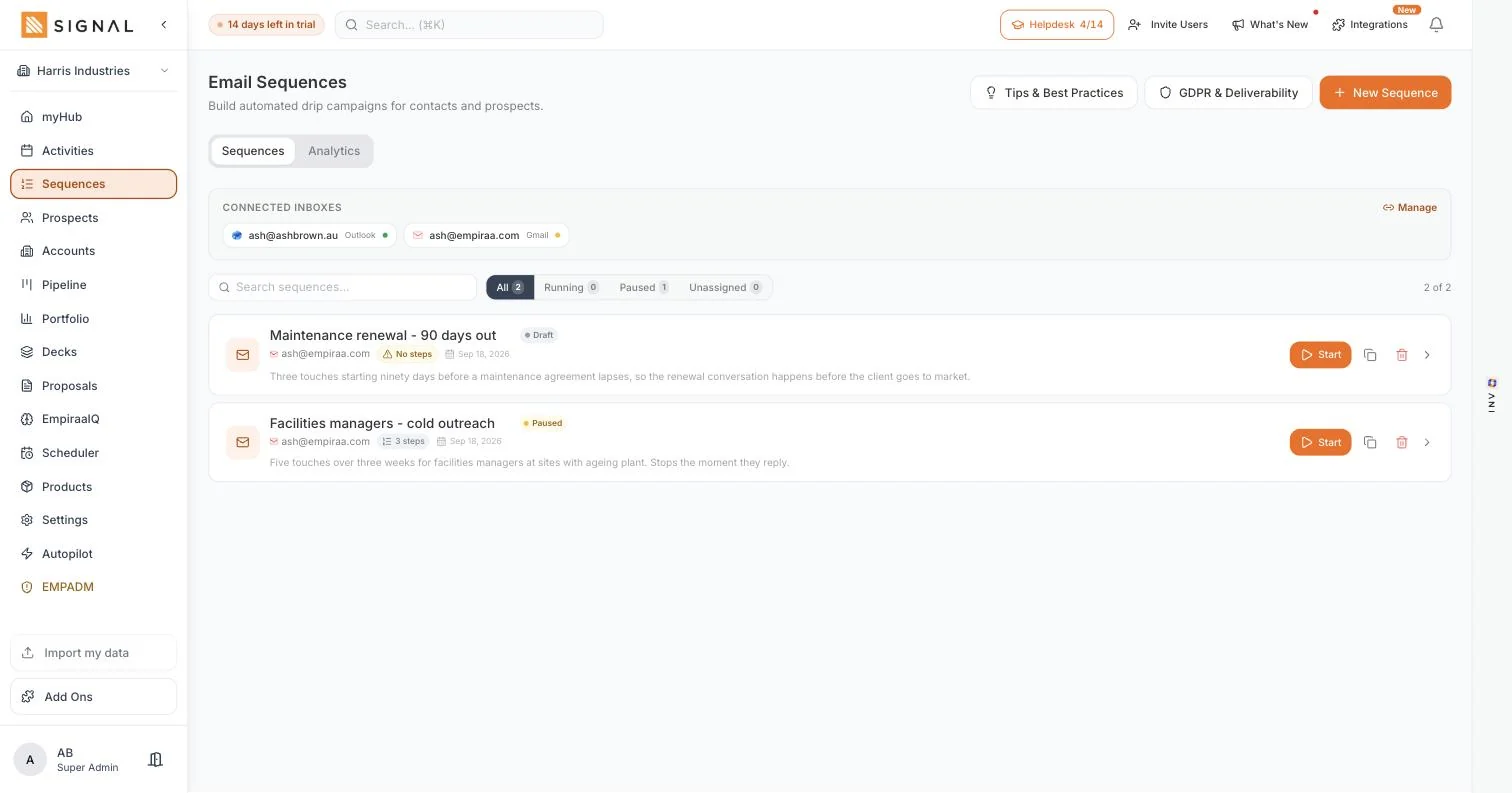
Sent from your own inbox
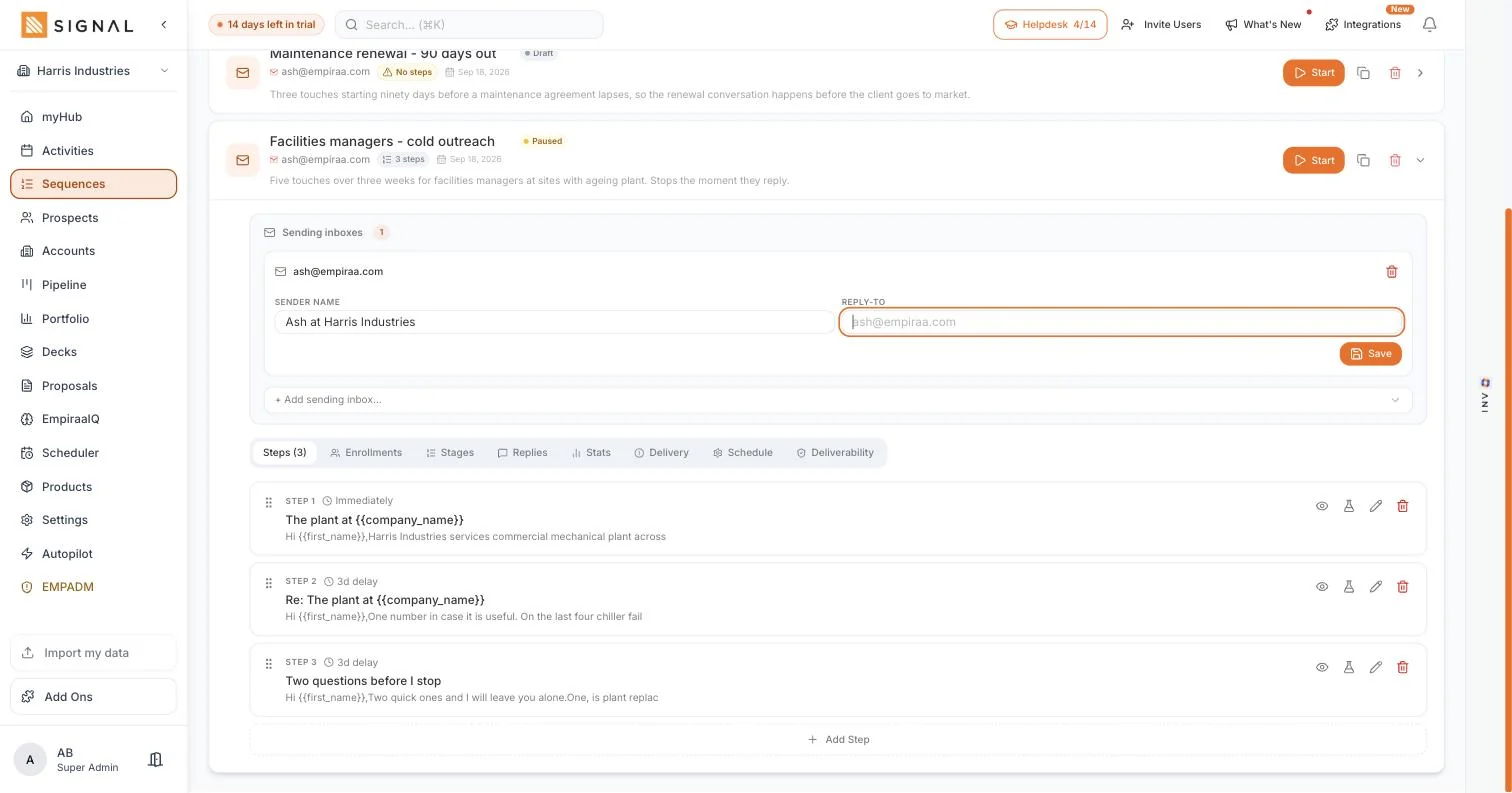
Connect Gmail or Outlook and the emails go out from your address, with your signature and your sending reputation. Not a shared relay that the spam filters already recognise, and not a from address your prospect has never seen.
- Set the sender name and the reply-to per inbox
- Replies land in your inbox, where you would look for them anyway
- One inbox or several, so a team is not all sending from the same address
Steps with a gap you set
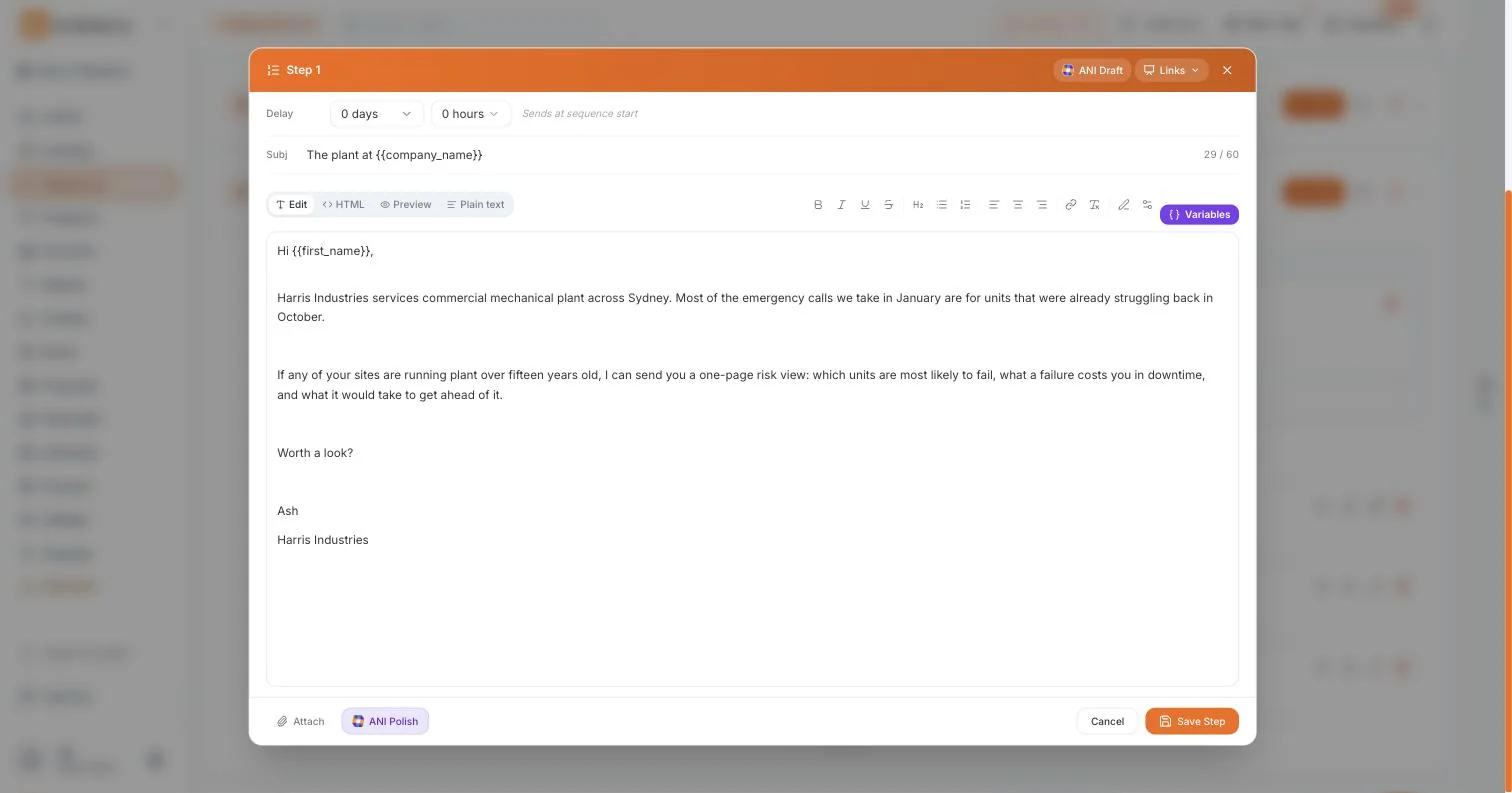
Each step is an email with a delay in days and hours. The first goes out when somebody is enrolled, the rest follow on your schedule, and the sequence keeps its place whatever your week does.
- Merge fields for first name, last name, company and job title
- Empty fields drop out cleanly rather than leaving a gap in the sentence
- Reorder, pause or edit a step without restarting anyone
And it stops when they reply
A reply takes that person out of the sequence. It is a small thing that matters enormously, because the fastest way to lose a warm prospect is to chase them for something they already answered.
- Replies, bookings and stage changes all end the sequence
- Delivery and deliverability are shown per sequence, so you catch a problem early
- ANI drafts a step from scratch or polishes the one you wrote, and you keep the final word
Every plan has every feature. The difference between them is volume.
Explore Signal freeWhat you get
Enough to run it properly, and not enough to ruin your domain.
In sequences
Your inbox, not a relay
Gmail and Outlook connect directly. Sending reputation stays yours, which is the whole ball game for landing in an inbox.
Merge fields
Name, company and job title in the subject line and the body. Personalised where it counts rather than everywhere.
Stop on reply
On by default, because it should be. Bookings and stage changes stop a sequence too.
ANI drafting
Ask for a draft, or paste what you wrote and ask it to tighten. It reads your ICP, so the draft knows who it is talking to.
Delivery reporting
Sends, opens, replies and deliverability per sequence, so you know whether the message or the list is the problem.
Enrol from anywhere
From a prospect row, an account, a deal or in bulk from a filtered list. The contact record is the same one.
Getting started
A sequence live in twenty minutes.
Four steps
- 2 minutes
Connect your inbox
Gmail or Outlook, once. Set the sender name you want people to see.
- 15 minutes
Write three steps
One opener and two follow-ups is plenty. Short beats clever.
- 1 minute
Enrol a few people
Start with ten, not two hundred, and read what comes back.
- Week two
Fix the opener
The first email is the one that decides everything. Change it and run it again.
By role
What it changes, seat by seat.
Who feels it
A sales rep
The follow-up happens whether or not your week went to plan, and it stops the moment someone answers.
Learn moreA sales manager
You can see which message is working and which rep is sending nothing, without asking either question out loud.
Learn moreA founder
Outreach that runs on the three days a week you are not selling.
Learn moreAn agency principal
New business keeps moving through a busy delivery month instead of stopping dead.
Learn moreQuestions
Sequence questions, answered.
Does it send from my own email address?
Yes. You connect Gmail or Outlook and the emails go from your address with your signature. Replies come back to your inbox. Nothing is sent through a shared relay.
What stops a sequence?
A reply stops it immediately. So does a booking through your scheduler, or the deal moving stage. You can also pause or remove someone by hand at any point.
Will this get my domain blocked?
Sending from your own inbox at a sensible volume, to people who match your ideal customer, is ordinary business email. Signal shows deliverability per sequence so you can see a problem forming. What ruins a domain is volume without relevance, and no tool can fix that for you.
Can ANI write the emails?
It can draft a step from scratch using your ideal customer profile, or polish something you have written. You always review and edit before anything goes out, and nothing sends until you start the sequence.
Is sequencing an add-on?
No. It is part of every plan, as are prospecting, the pipeline, decks, proposals and the scheduler. Plans differ in volume, never in which parts you get. See what every plan includes.
Can I bring sequences from another tool?
You can bring your contacts in from a CSV and rewrite the steps here. The steps themselves are usually worth rewriting anyway, because what worked in a sequencer built for volume rarely reads well from a real person.

Question not answered here? Ask ANI and get a straight answer.
Write the follow-up once.
14 days free. No credit card. Unlimited users from the first minute.