

Integrations
Connect the plan to the numbers. From the systems you already run.
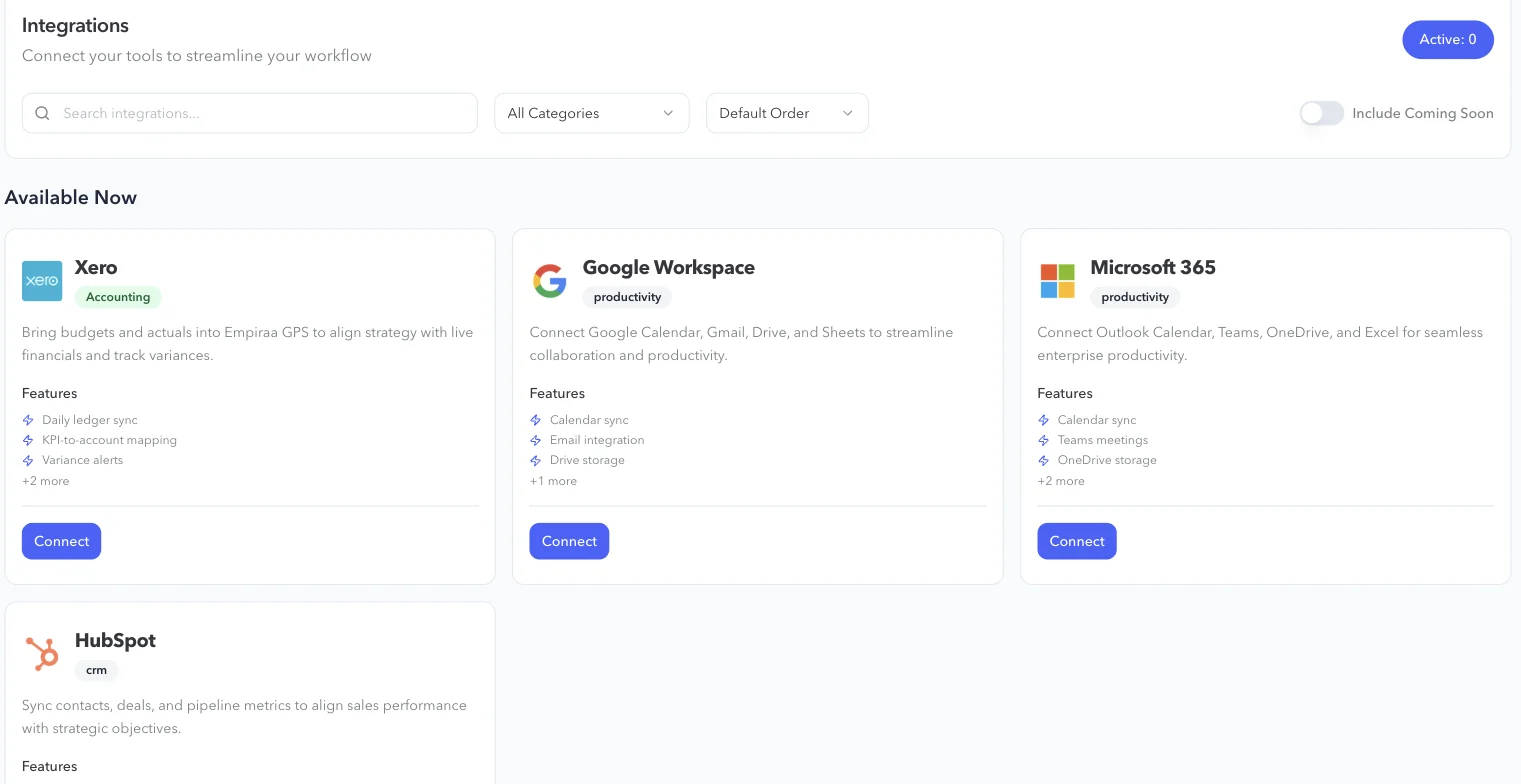
Empiraa GPS connects to Xero, HubSpot, Microsoft 365, Google Workspace and Claude. An API and webhooks cover the rest, so the plan reflects what is really happening in the business.
- Set up with your plan
- Unlimited users
- 30-day pilot
Available now
Six ways to connect GPS.
Choose a system to see what it connects and how it works.
Integrations
Xero
Bring budgets and actuals into GPS, map KPIs to accounts and track variances.
See the Xero integrationCRMHubSpot
Sync contacts, deals and pipeline metrics to line sales up with the plan.
See the HubSpot integrationProductivityMicrosoft 365
Outlook Calendar sync, Teams meetings, OneDrive and Excel, plus sign-in with Microsoft.
See the Microsoft 365 integrationProductivityGoogle Workspace
Google Calendar sync, Gmail, Drive and Sheets, plus sign-in with Google.
See the Google Workspace integrationAI assistantClaude
Ask about the plan and update it from a Claude conversation, with the access you choose.
See the Claude integrationDevelopersAPI and webhooks
Connect your own systems to goals, objectives, actions and progress.
See the APIWhy connect
A plan that updates itself is a plan people trust.
What connecting changes
Progress from real numbers
Financial and sales objectives follow your books and your pipeline, not a copied figure.
Less chasing
Fewer updates to request and fewer numbers to type in before each meeting.
One weekly rhythm
Meetings, calendars and the plan sit together, so the week runs from one place.
How it works
Connected in a few minutes.
The steps
Open Integrations
Go to the Integrations page in GPS.
Choose a system
Pick Xero, HubSpot, Microsoft 365 or Google Workspace and press Connect.
Sign in and approve
Sign in to that system and approve the connection.
Use it in the plan
Map accounts to KPIs, sync calendars or bring pipeline metrics into your objectives.
Running a system that isn’t listed?
Tell us what you run. We can connect it through the API and webhooks as part of your implementation.
Questions
Integration questions, answered.
Which systems does Empiraa GPS connect to?
Xero, HubSpot, Microsoft 365, Google Workspace and Claude. An API and webhooks cover your other systems.
Are integrations included in our plan?
Yes. Integrations, the API and webhooks are part of every plan. The systems you connect, and any API work, are part of how we scope your rollout. See how pricing works.
Who sets the integrations up?
Your team can connect them from the Integrations page in GPS, and our team connects your systems with you during implementation.
Can we connect a system that isn’t listed?
Yes, through the API and webhooks. Tell us what you run and we will scope it with you. See the API.
How is connected data protected?
Data is encrypted in transit and at rest, access is set by role, and each organisation’s data is kept separate. Read about security.

Question not answered here? Ask ANI and get a straight answer.
See GPS connected to your systems.
Start for free and bring your goals, people and progress into GPS.