

Timeline
Your whole plan across the year. With a line for today.
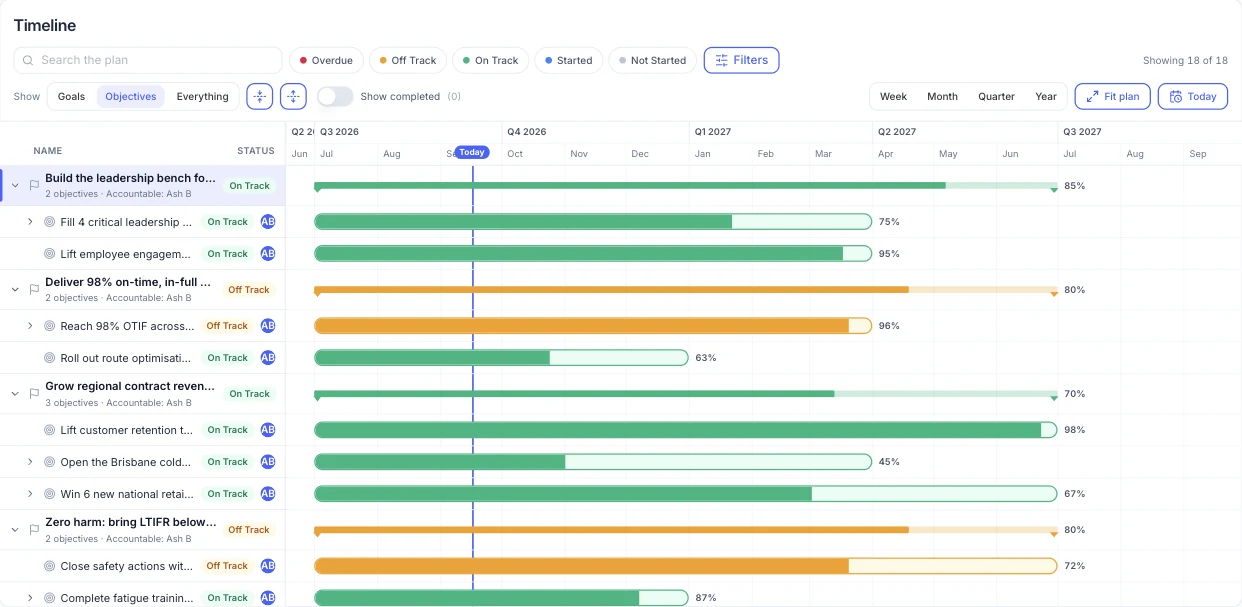
The Empiraa GPS timeline shows every goal and objective as a bar across the year, with its progress, status and owner. The today line shows where each one should be by now, so the gaps are easy to see.
- Set up with your plan
- Unlimited users
- 30-day pilot
Why late work hides
Without a timeline, late work looks like work in progress.
What gets in the way
Deadlines drift
Due dates live in different documents, so no one sees the whole year at once.
No sense of pace
An objective at 40% could be on pace or far behind. Without today’s mark, no one can tell.
Too much to scan
Leaders need the overdue and off track work first, not a long spreadsheet.
How it works
The year on one screen, with the problems first.
The timeline in GPS
Every goal and objective across the year
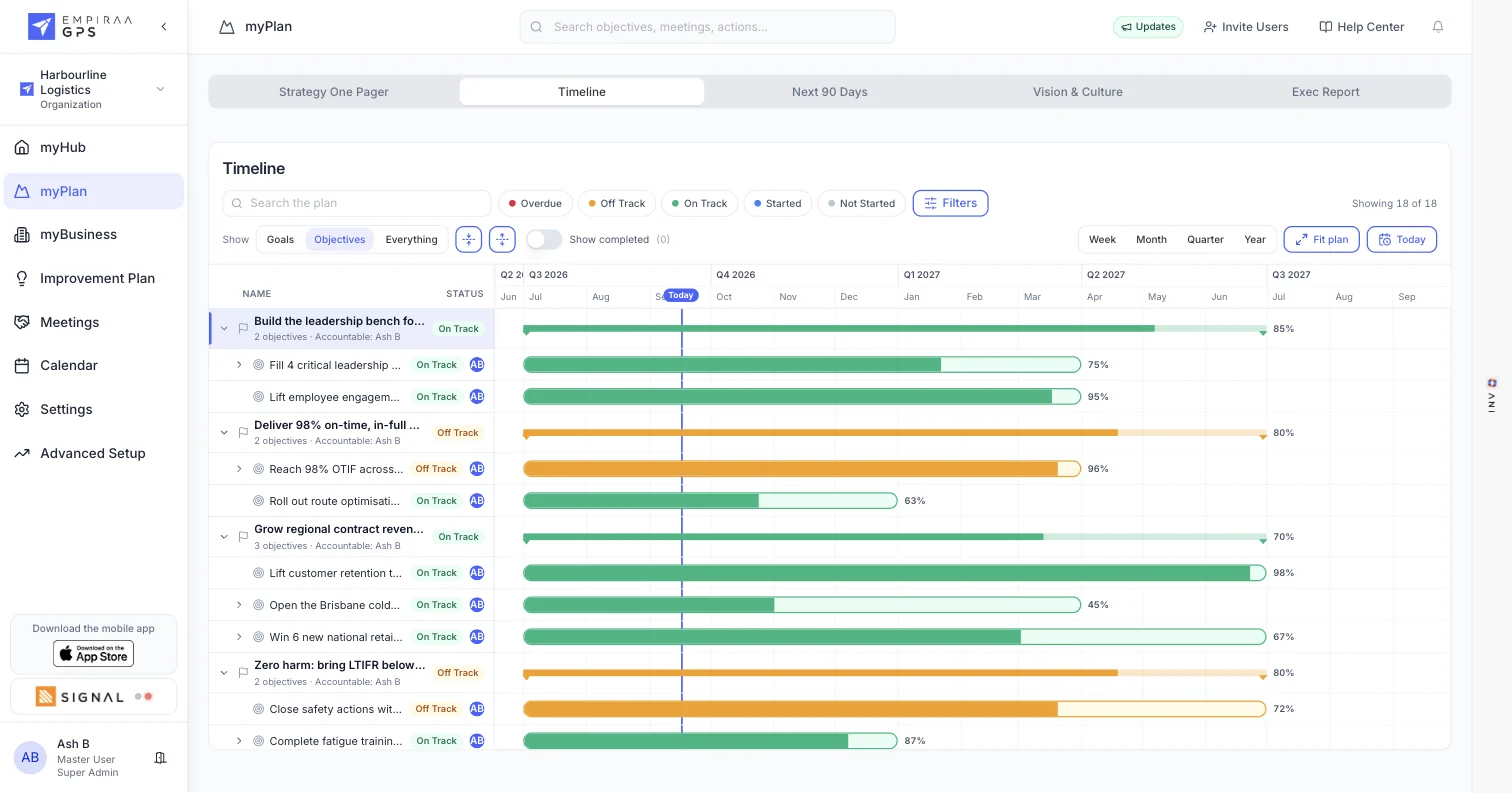
Goals and their objectives sit as progress bars across the year, with the accountable owner and status beside each one.
- Week, month, quarter and year views
- Fit the whole plan, or jump to today
- Show goals, objectives or everything
Find what needs attention
Filter by overdue, off track, on track, started and not started, or search the plan. Hide completed work to keep the view clean, or show it for the review.
- Status filters
- Search the plan
- Show or hide completed work
The calendar view
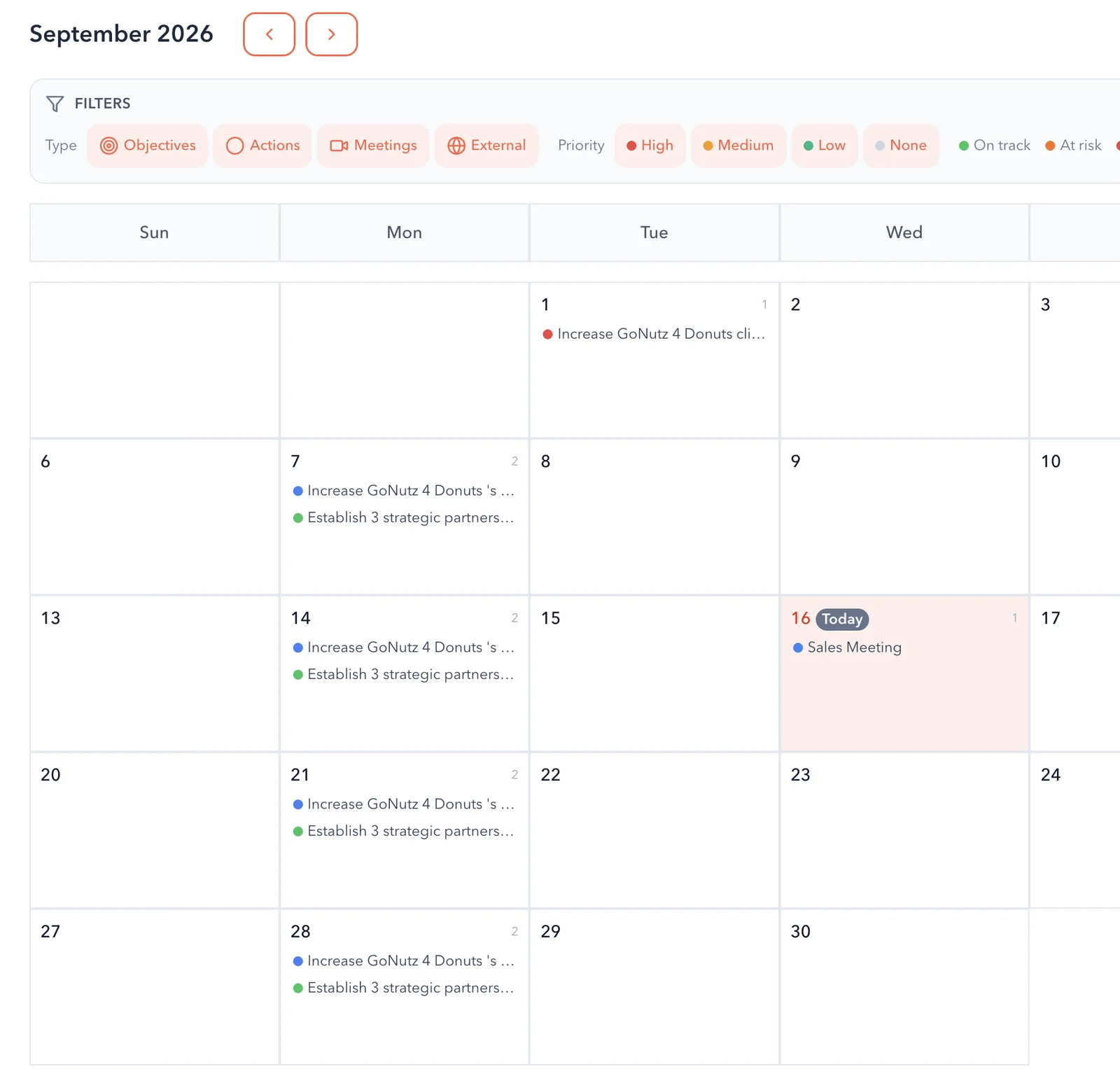
See objectives, actions and meetings by day on the calendar, with filters for type, priority and status, and your external events alongside.
Reports that use the same measure
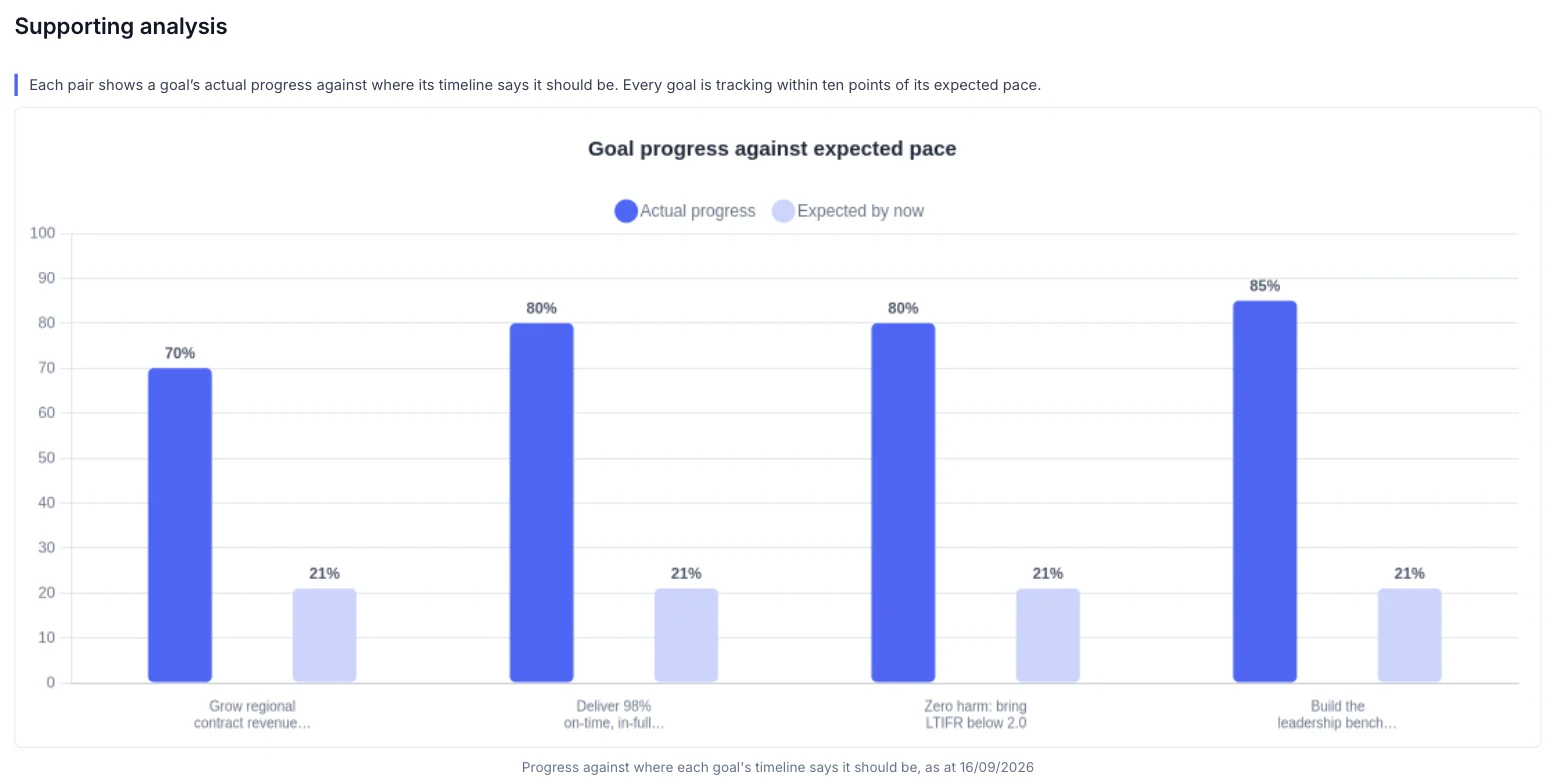
Board and leadership reports compare each goal’s progress with where its timeline says it should be, so the report and the timeline always agree.
What you get
A view of the plan that shows the truth.
Timeline features
Today line
See where every goal and objective should be by now.
Status filters
Overdue, off track, on track, started and not started.
Four zoom levels
Week, month, quarter or year.
Search
Find any goal or objective in seconds.
Next 90 Days
A view of the quarter ahead, next to the timeline in myPlan.
Calendar
Objectives, actions, meetings and external events by day.
Who it’s for
One view of the year for every leader.
By role
CEO or MD
See the whole year on one screen before the leadership meeting.
COO or GM
Find the overdue and off track work across teams and sites.
Owners and boards
See which goals are behind pace without waiting for the next pack.
Questions
Timeline questions, answered.
What does the today line show?
Where today falls on each goal and objective’s timeline. Compare it with the progress bar to see whether the work is ahead or behind.
Can we view the plan by quarter?
Yes. Switch between week, month, quarter and year, or fit the whole plan on screen.
Can we see only what is off track?
Yes. Filter by overdue, off track, on track, started or not started, and search for any goal or objective.
Is there a calendar view?
Yes. The calendar shows objectives, actions and meetings by day, and can show events from your connected calendar.
Does the timeline stay up to date?
Yes. It shows progress as owners update it, so it is always current. There is nothing to rebuild before a meeting.

Question not answered here? Ask ANI and get a straight answer.
See your year on the GPS timeline.
Start for free and bring your goals, people and progress into GPS.