

Quarterly Rocks in Empiraa GPS
Every Rock owned, every week of the quarter.
Empiraa GPS runs your quarterly Rocks, the three to seven priorities each leader commits to for the quarter, as part of one live plan. Each Rock has one owner and a due date, the weekly meeting runs from the plan, and nobody has to ask whether a Rock is on track.
- Set up with your plan
- Unlimited users
- 30-day pilot
Why Rocks slip
Rocks are easy to set and easy to lose by week six.
Teams that run on quarterly priorities already have the discipline. What they often lack is one place where the priorities, the measures and the weekly meeting meet.
What gets in the way
On track until it isn’t
A Rock reported as on track every week can still miss when nobody measures it against the calendar.
Too many tools
Rocks in one place, measures in a spreadsheet and meeting notes in another, so nothing lines up.
Issues without owners
Problems raised in the meeting are discussed, then come back the next week unsolved.
How it works
The quarter, the week and the people in one plan.
Rocks in GPS
Rocks with one owner and a due date
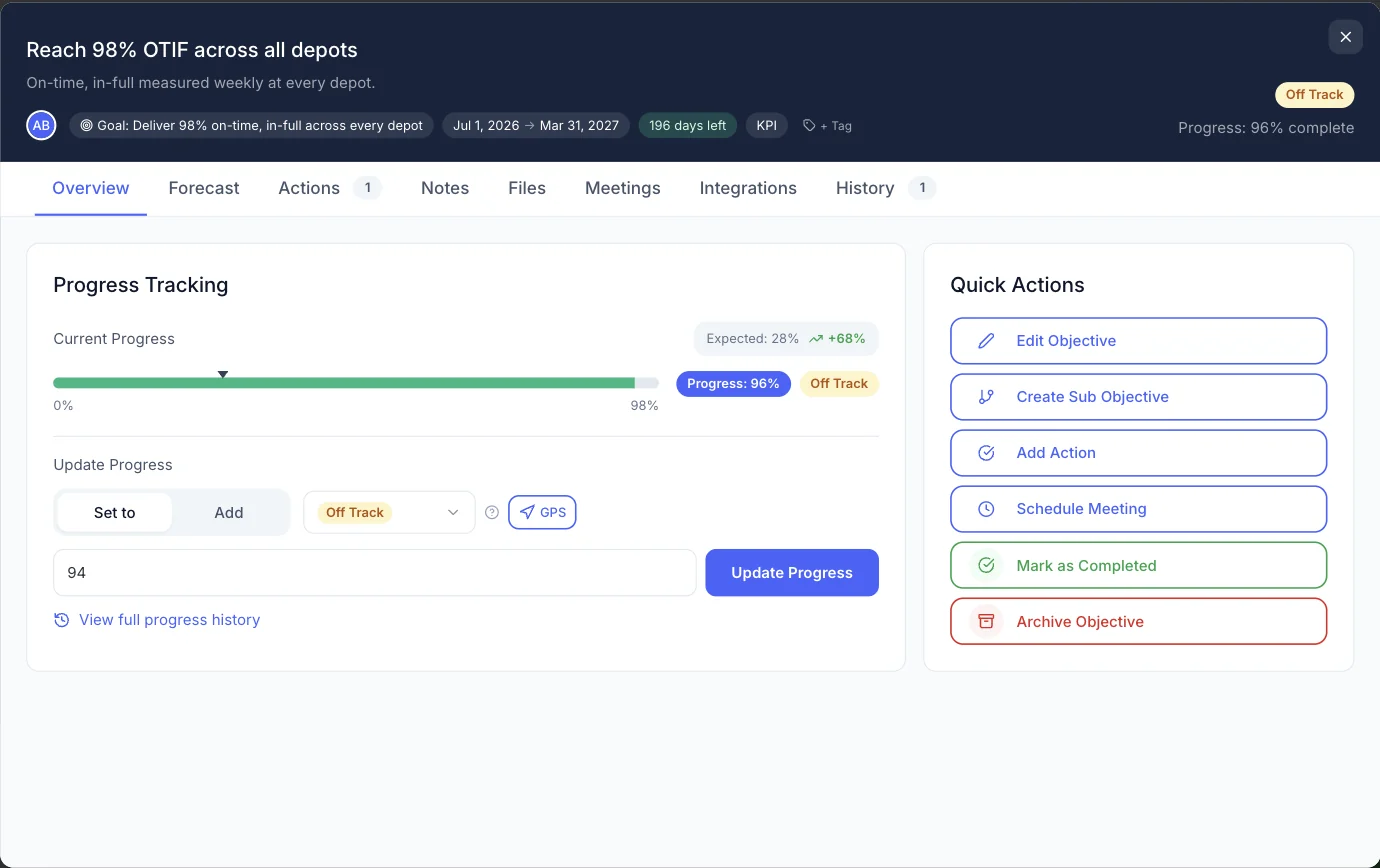
Each Rock becomes an objective under the goal it serves, with one owner, a start date inside the quarter and a due date at its end. GPS shows where it should be today.
- One owner for each Rock
- Progress against expected pace
- Tag Rocks to see them together across goals
The quarter at a glance
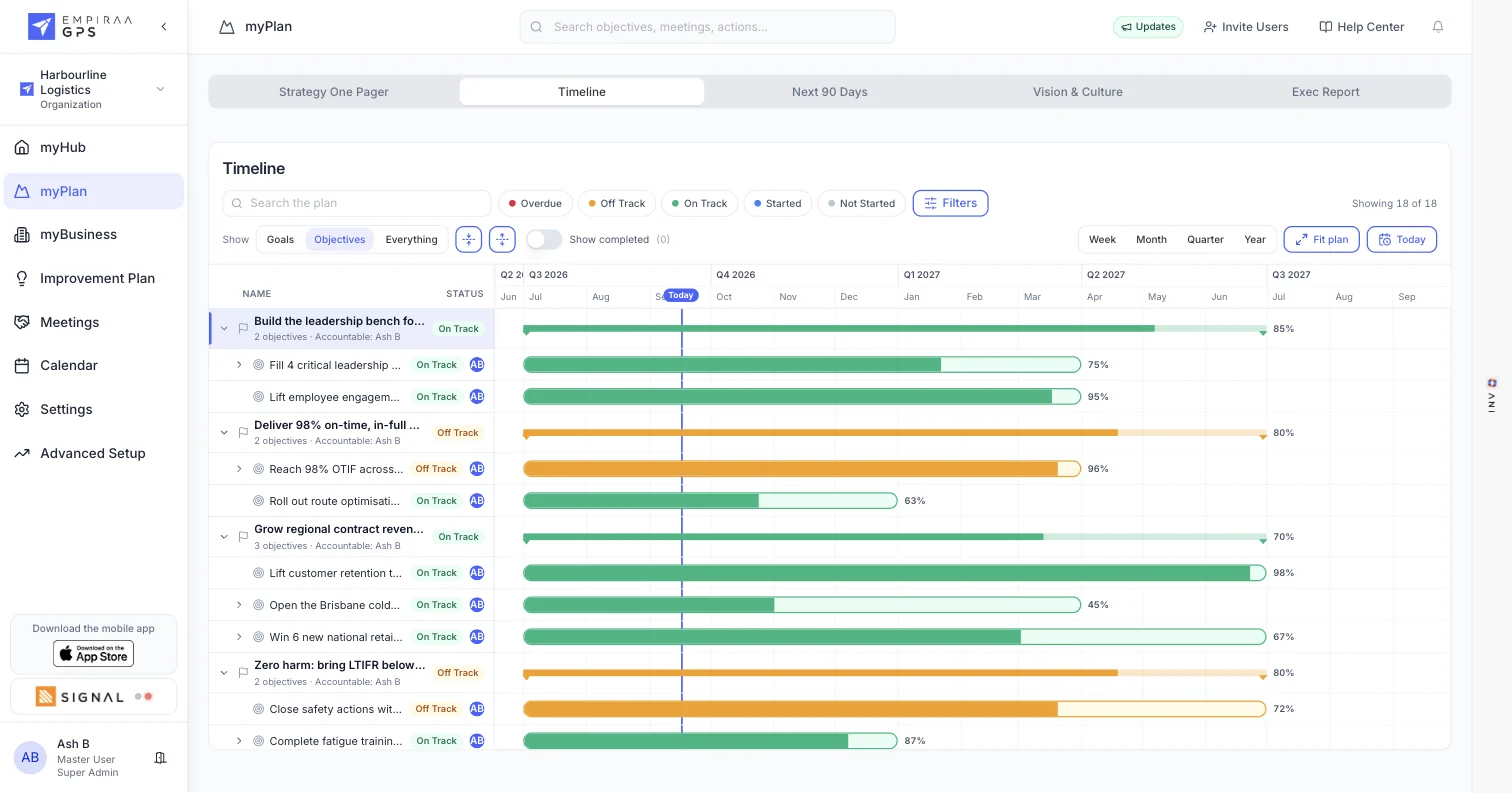
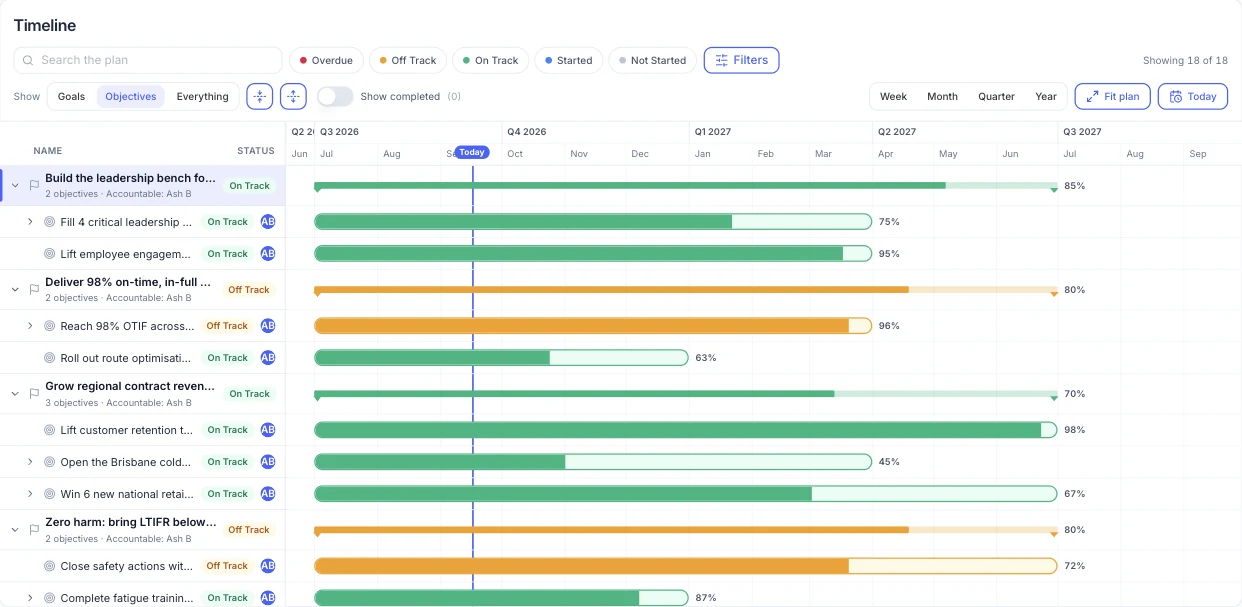
See every Rock across the quarter on the timeline, with a line marking today. The next 90 days view keeps the quarter in front of the team.
A weekly meeting that runs from the plan
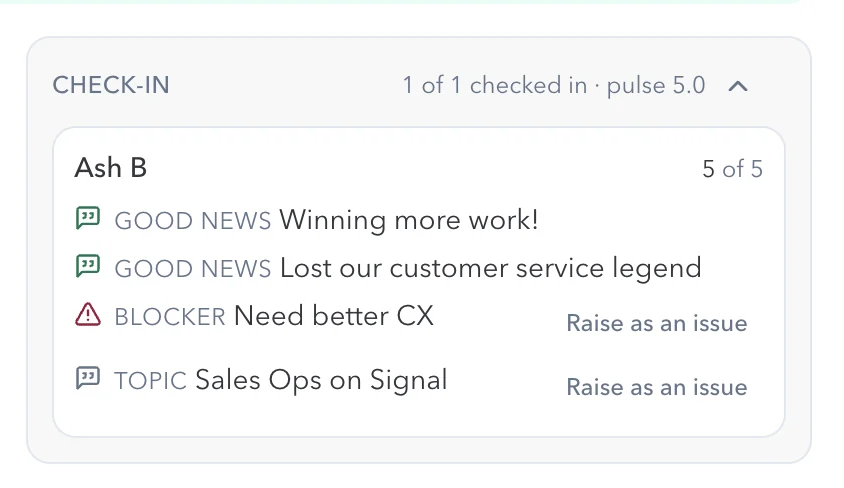
Each leader checks in before the meeting with good news, blockers and topics. A blocker or topic becomes an issue for the team with one click, and decisions leave the room as owned actions.
- Check-ins before the meeting
- Raise as an issue
- Agenda templates and meeting history
A clear owner for every area
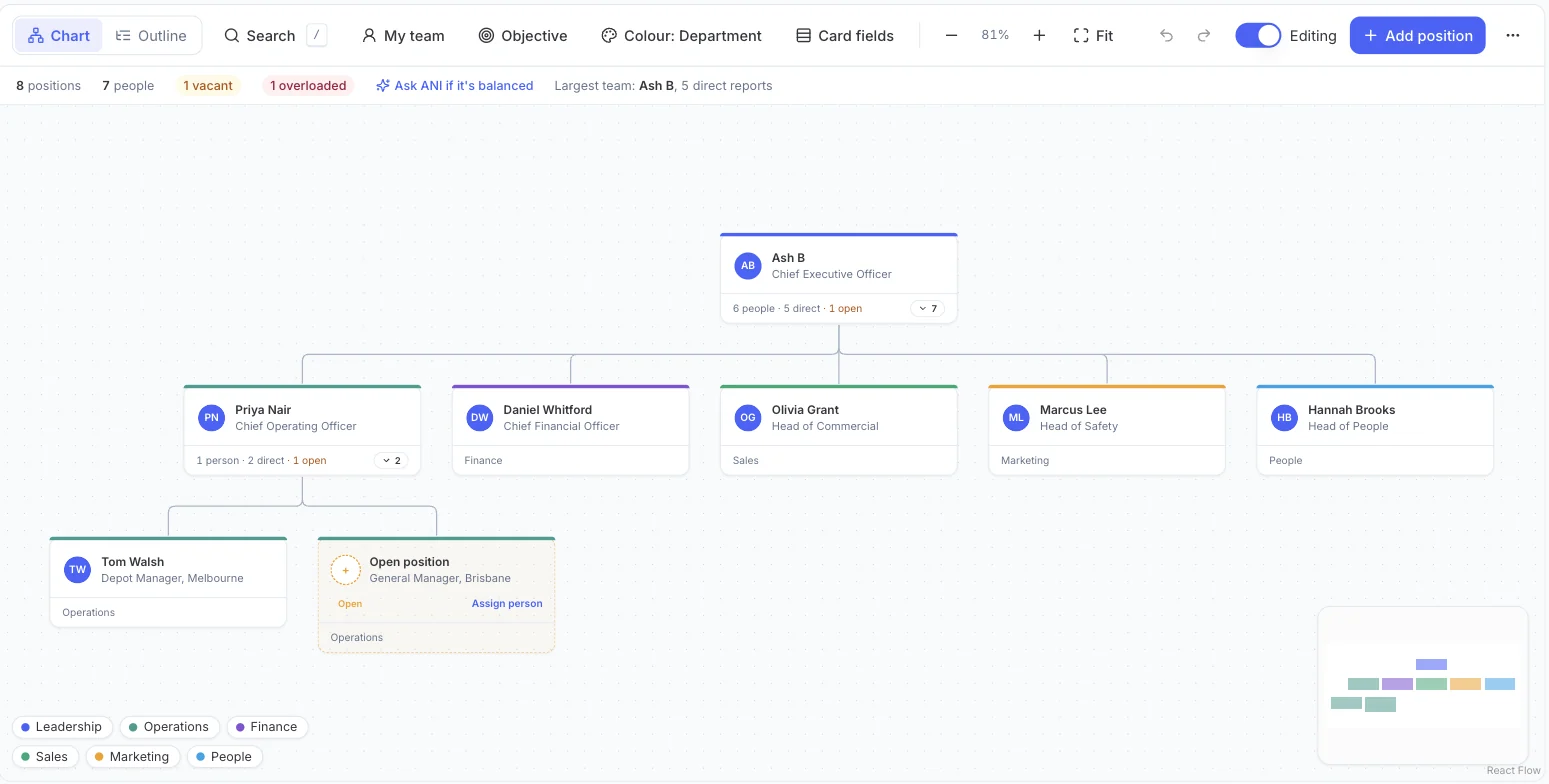
The Accountability Chart shows who owns each area, flags open roles and shows when one leader is carrying too much. Ask ANI whether the load is balanced.
What you get
The whole operating rhythm, in one place.
Features for Rocks
Measures next to Rocks
Track your weekly measures as KPIs with targets, beside the Rocks they support.
See goals and KPIsVision on one page
Vision, core values and goals on the Strategy One Pager, with live status.
See strategic planningIssues to decide
Blockers and topics raised as issues for the leadership team.

AI meeting summaries
ANI summarises the meeting, so the record doesn’t depend on one note-taker.
iPhone app
Update a Rock or check in from anywhere.
Unlimited users
Bring every leader and team member in without seat costs.
The quarter in GPS
Set, track, meet, review.
The rhythm
Set the Rocks
Each leader commits to their Rocks for the quarter, each with an owner and a due date.
Track every week
Owners update progress, and GPS shows each Rock against where it should be.
Meet every week
Check in, review the plan, decide the issues and leave with actions.
Review the quarter
Generate a report from live data, then set next quarter’s Rocks.
The language
How quarterly Rocks map to GPS.
If your team already runs on Rocks, nothing about the rhythm changes. GPS gives each part a home.
Rock terms in GPS
| In your rhythm | In Empiraa GPS |
|---|---|
| Rock | Objective with one owner and a due date in the quarter |
| Annual goal | Goal, with one accountable owner |
| To-do | Action, with an owner, a due date and a priority |
| Weekly measures | KPIs tracked as objectives with targets |
| Issue | A blocker or topic raised as an issue from a check-in |
| Vision and core values | The Strategy One Pager |
| Accountability chart | The Accountability Chart |
Who it’s for
For the leaders who own the Rocks.
By role
Questions
Quarterly Rocks questions, answered.
What are quarterly Rocks?
Rocks are the few most important priorities a leadership team commits to for the next 90 days. Each Rock has one owner and is either done or not done by the end of the quarter.
Does GPS call them Rocks?
GPS calls them objectives. Give each Rock one owner, a start date inside the quarter and a due date at its end, and tag them so you can see all your Rocks together.
We already run a weekly leadership meeting. What changes?
The meeting runs from the plan. Leaders check in before it, the team reviews Rocks and measures against pace, issues are decided, and every decision leaves as an owned action. See meetings and check-ins.
Can we track our weekly measures too?
Yes. Track each measure as a KPI with a target and dates, next to the Rocks it supports, and map financial measures to your Xero accounts. See the Xero integration.
Can we move our Rocks in from another tool?
Yes. Upload your current plan and GPS turns it into goals, objectives and actions, or our team loads it with you as part of implementation.
Can we try it first?
Yes. We run 30-day pilots with one leadership team, using your real plan. We agree the pilot terms with you in the demo. See how pricing and pilots work.

Question not answered here? Ask ANI and get a straight answer.
See your Rocks running in GPS.
Start for free and bring your goals, people and progress into GPS.