

Accountability Chart
See who owns what. And who is carrying too much.
The Accountability Chart in Empiraa GPS maps every role, person and department in your leadership structure. Open roles and overloaded leaders are flagged before they stall the priorities that depend on them.
- Set up with your plan
- Unlimited users
- 30-day pilot
Why ownership slips
An org chart shows reporting lines. It doesn’t show who delivers the plan.
What gets in the way
Shared means unowned
When a priority is shared by a team, no one person answers for it.
A few people carry the plan
The same leaders own most of the priorities, and work slips when they are stretched.
Gaps go unnoticed
An empty role leaves its priorities without an owner until someone asks.
How it works
A living chart of who is accountable.
The chart in GPS
Roles, people and departments
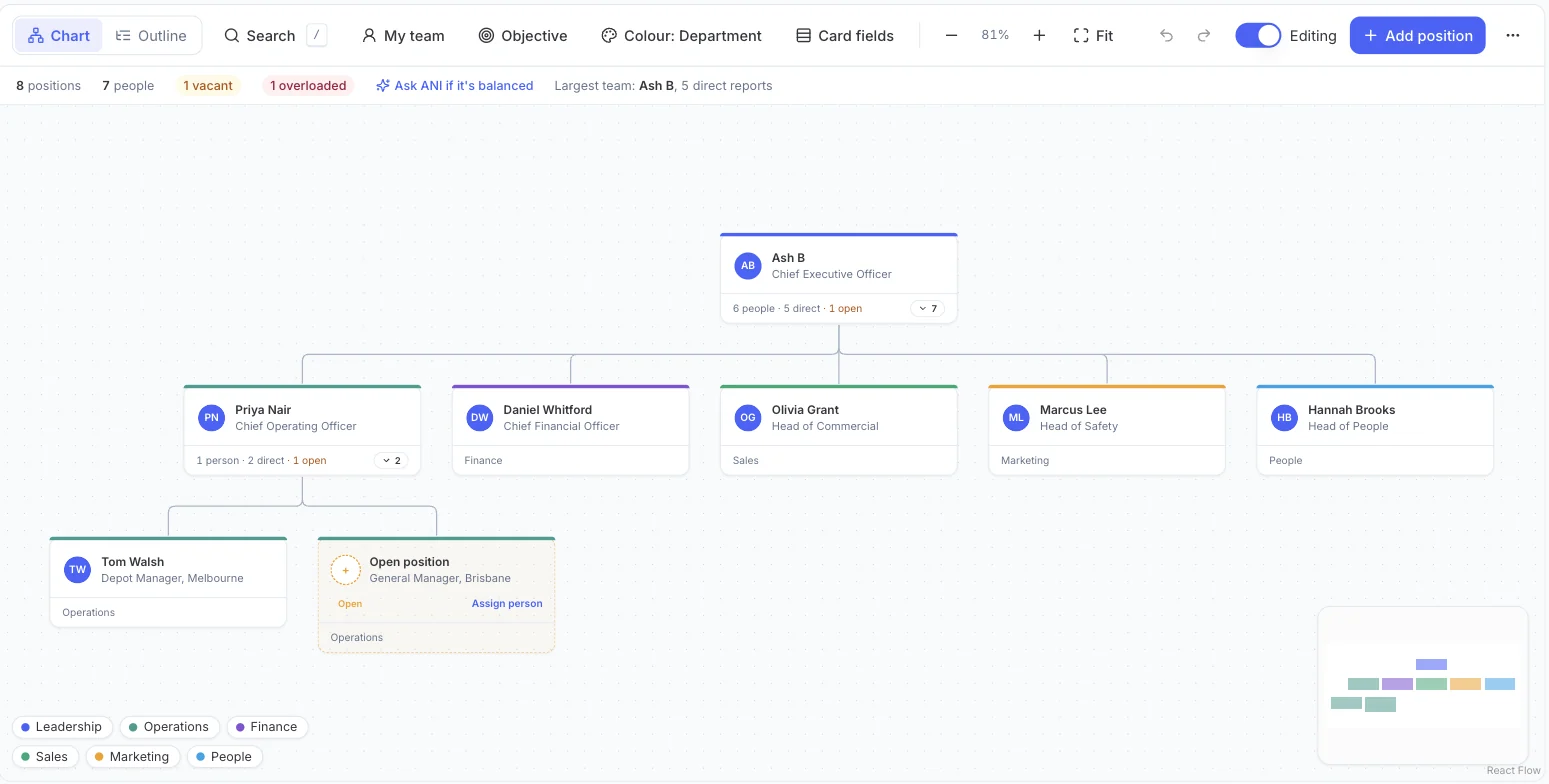
Build the chart position by position. Each card shows the person, their role and department, the size of their team and any open roles beneath them.
- Chart and outline views
- Colour by department
- Choose the fields on each card
- Search, and jump to your own team
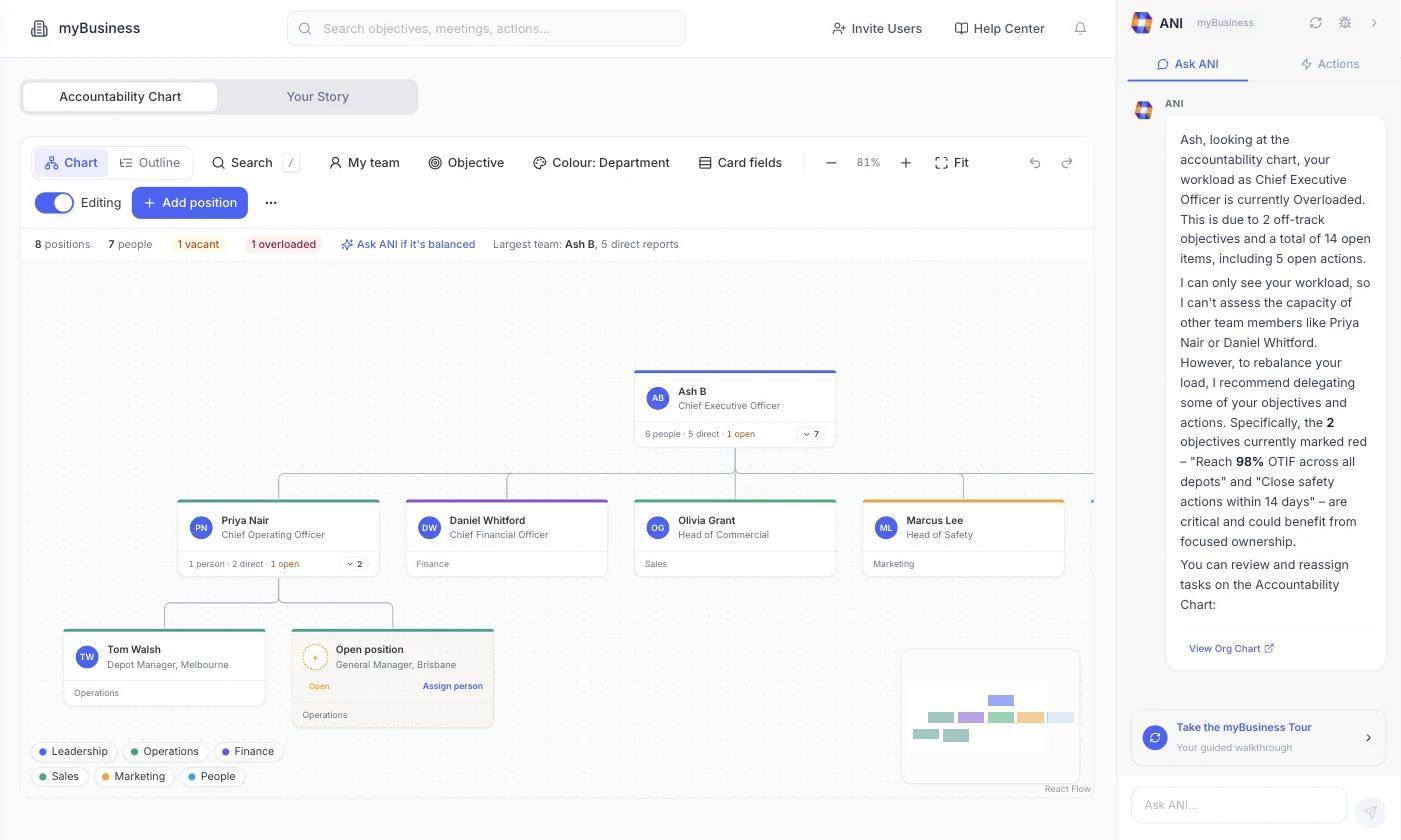
Ask ANI if it’s balanced
The chart counts positions, people, vacant roles and overloaded leaders. Ask ANI if it is balanced, and it explains why a leader is overloaded and which objectives to hand on.
- Vacant and overloaded counts
- Your largest team at a glance
- Recommendations based on the objectives and open items each person owns
Owners on every priority
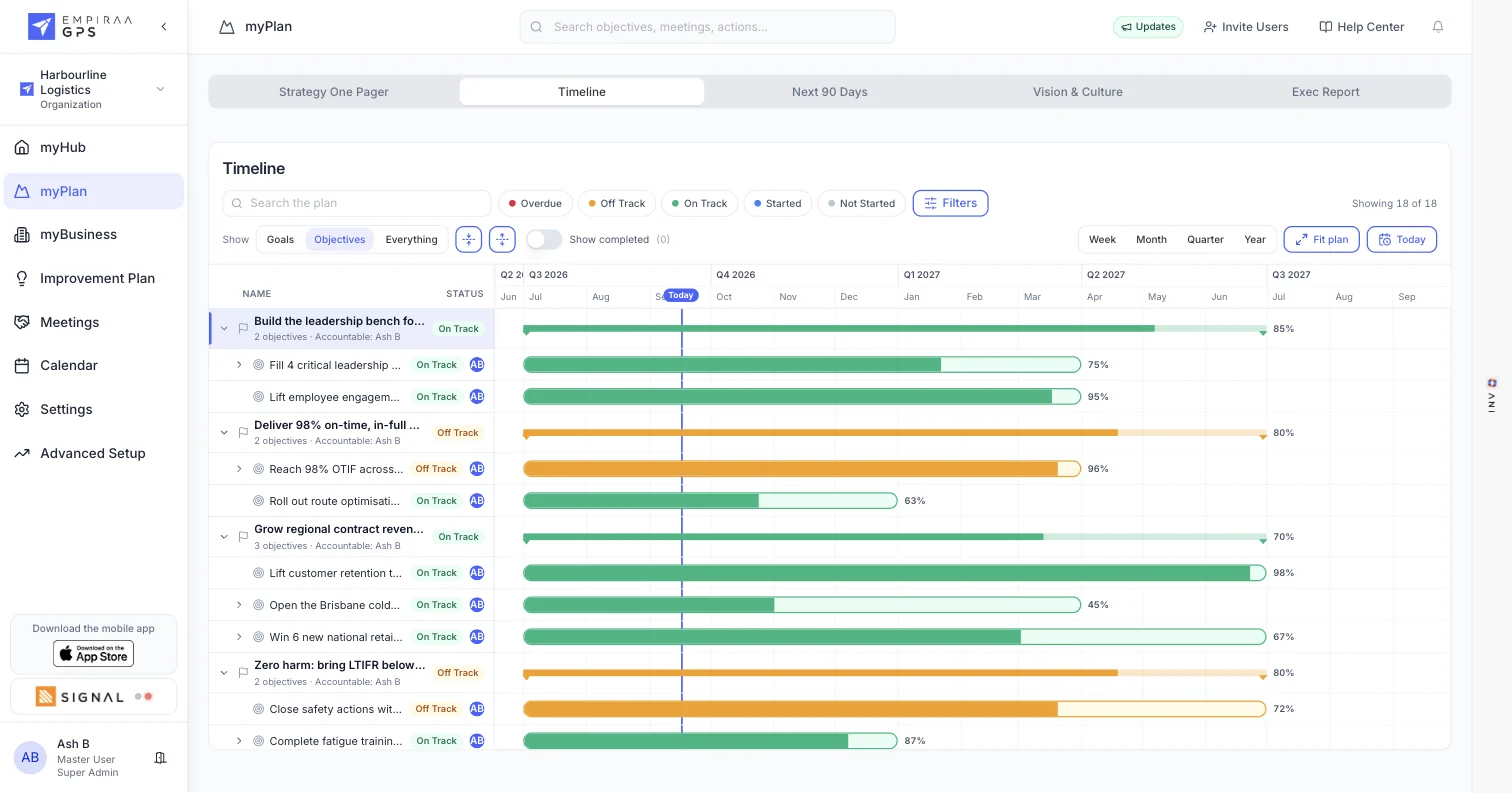
Every goal has an accountable person, and every objective and action has an owner, so the chart and the plan tell the same story.
What you get
Everything you need to see accountability clearly.
Chart features
Open positions
Show the roles you are hiring for, then assign a person when they start.
Overload flags
See which leaders are carrying too much, before their work slips.
Departments
Colour-code the chart by department, with a legend for each team.
Chart or outline
Switch between the visual chart and an outline list.
Several sites
Add positions for each site or region, such as a depot manager in one city and a general manager in another.
Safe editing
Turn editing on to change the chart, with undo and redo.
Who it’s for
Clear ownership, from the top table to every site.
By role
CEO or MD
See where the plan depends on too few people, and rebalance before it slips.
COO or GM
Know who owns each priority across sites and teams, including roles still being filled.
Owners and boards
Check that accountability is spread across the leadership team, not held by one person.
Related
Keep exploring GPS.
Related pages

Questions
Accountability Chart questions, answered.
What is an Accountability Chart?
A chart of the roles that run the business, who fills each one and what they own. Unlike an org chart, it is about accountability for results, not only reporting lines.
How does GPS show that a leader is overloaded?
The chart flags leaders carrying a heavy load. Ask ANI and it explains why, based on the objectives and open items that person owns, and suggests what to delegate.
Can we show roles we haven’t filled yet?
Yes. Add an open position, then assign a person when the role is filled.
Does the chart work for several sites or regions?
Yes. Add positions for each site or region, and colour the chart by department.
Can we see the chart as a list?
Yes. Switch from the chart to the outline view at any time.

Question not answered here? Ask ANI and get a straight answer.
See your leadership team on the Accountability Chart.
Start for free and bring your goals, people and progress into GPS.