

Meetings and check-ins
Meetings that end in decisions. Not another round of updates.
Empiraa GPS runs your leadership meetings from the plan. People check in before the meeting, the meeting follows an agenda, issues get decided, and decisions leave the room as owned actions.
- Set up with your plan
- Unlimited users
- 30-day pilot
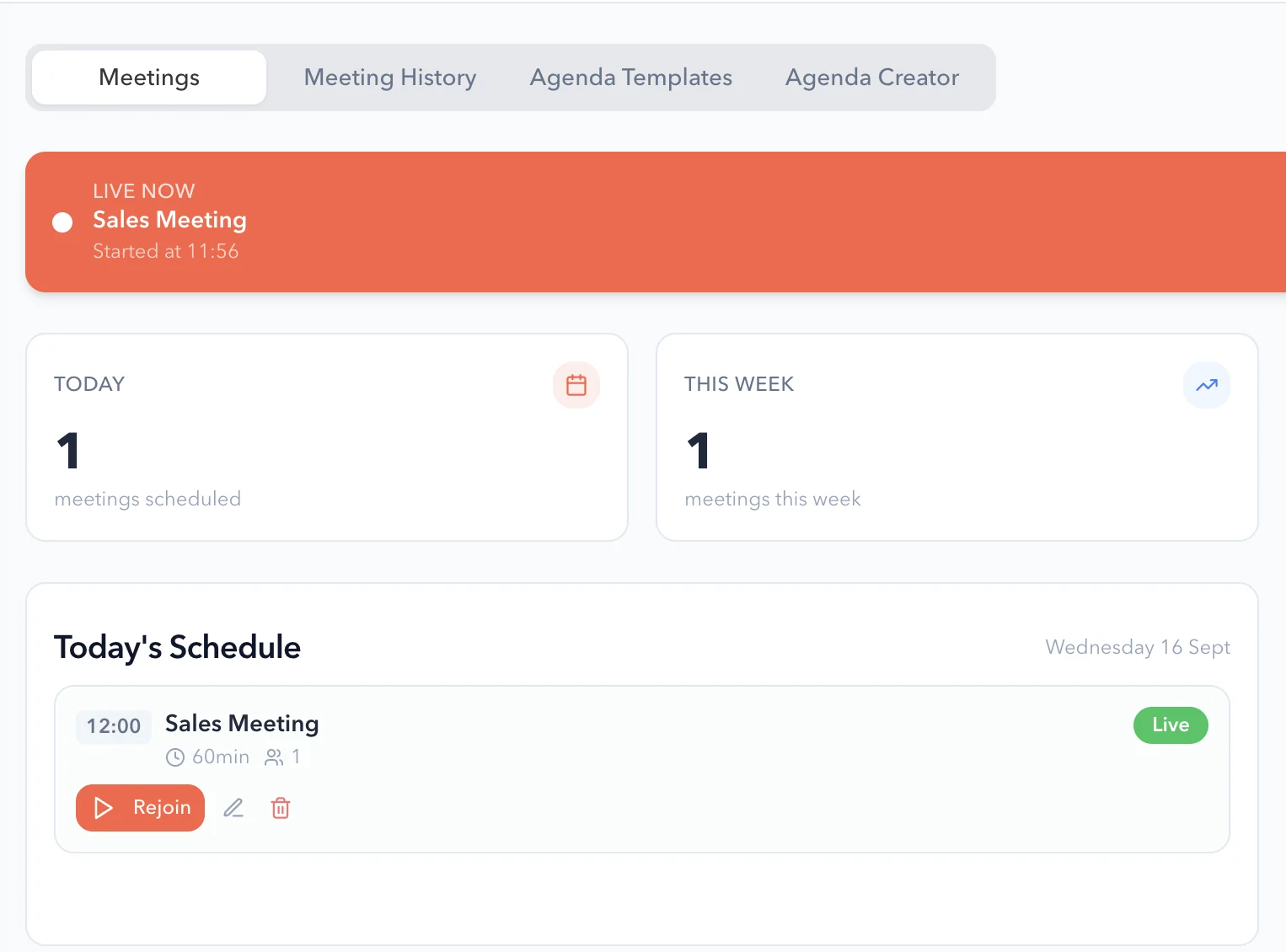
Why meetings drift
Most leadership meetings are spent reading updates aloud.
What gets in the way
Updates fill the agenda
Each leader reports in turn, and the hard conversations run out of time.
Blockers surface late
Problems come up in the room instead of before it, with no time to prepare.
Decisions get lost
Actions agreed in the meeting have no owner or due date by the next one.
How it works
A weekly rhythm that runs from the plan.
The rhythm in GPS
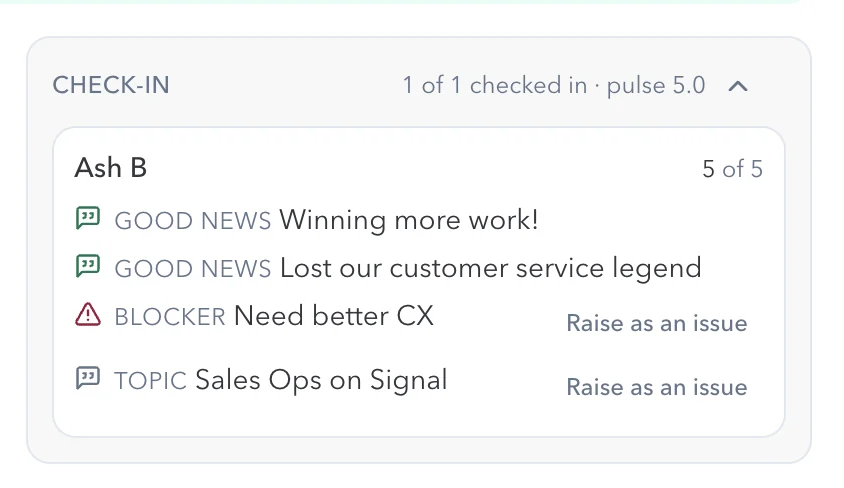
Check in before the meeting
Each person shares their good news, blockers and topics to discuss. A blocker or topic becomes an issue for the leadership team with one click.
- Good news, blockers and topics
- Raise as an issue
- Check-in completion and a team pulse score
Run the meeting from an agenda
Use an agenda template or build one with the agenda creator, then start the meeting. Anyone who drops out can rejoin, and past meetings are kept in the meeting history.
- Agenda templates and an agenda creator
- Live meetings you can rejoin
- Today’s schedule and meeting history
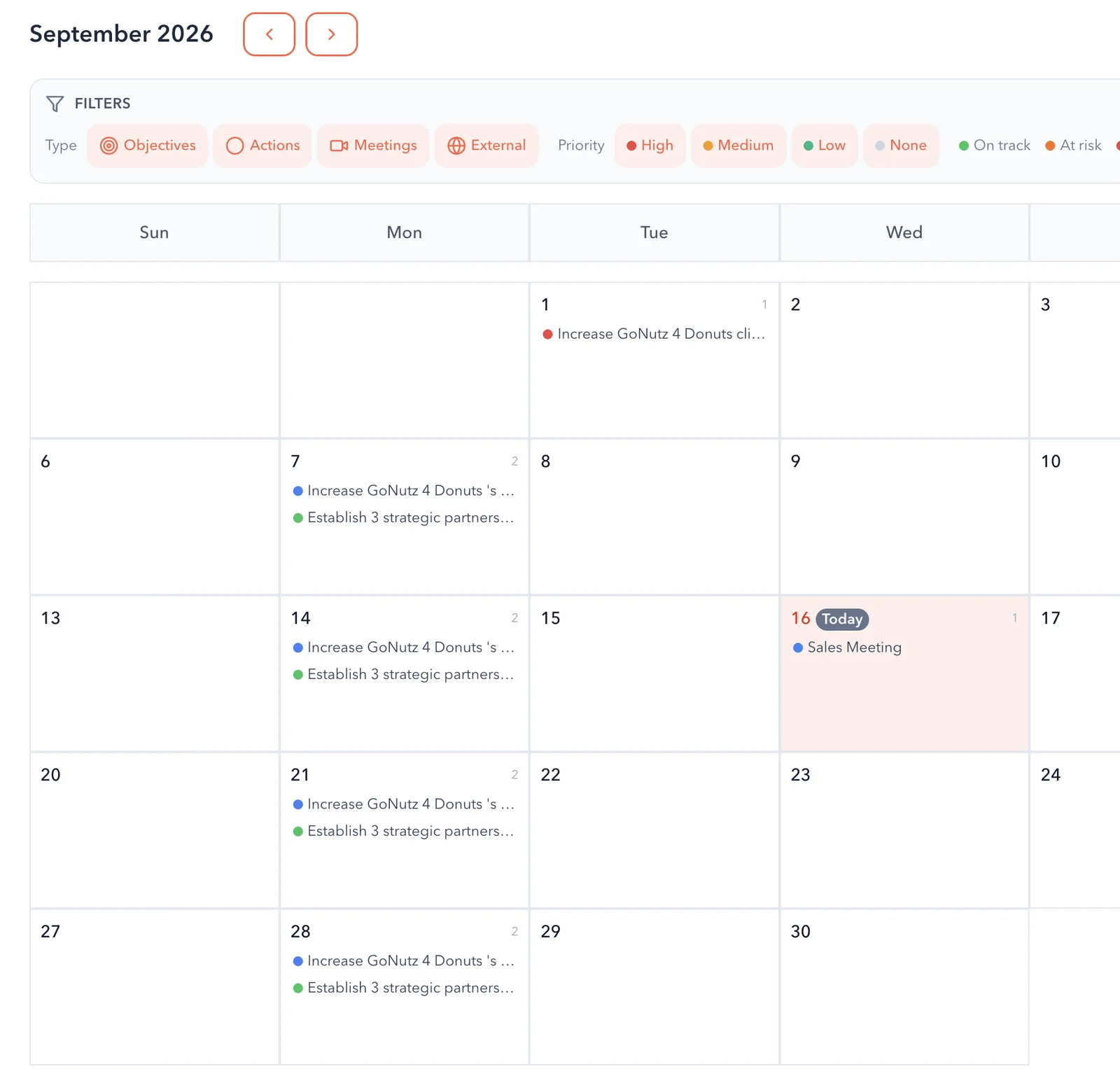
Every meeting on the calendar
Meetings sit on the GPS calendar next to the objectives and actions due, and the events from your own calendar.
- Filter by objectives, actions, meetings and external events
- Calendar sync with Microsoft 365 or Google Workspace
Decisions become owned actions
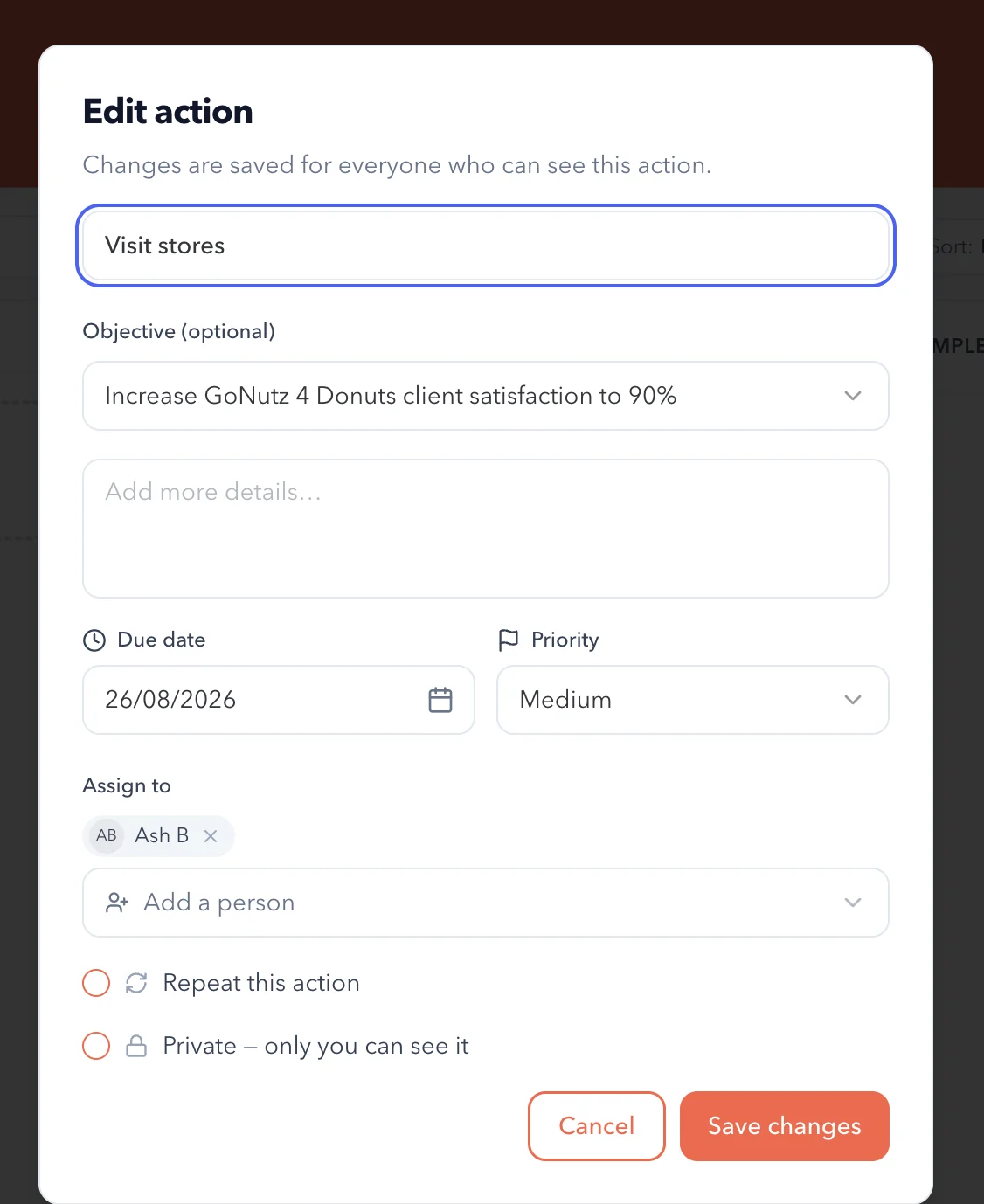
Leave with actions that have an owner, a due date and a link to the objective they move. ANI summarises the meeting for your review.
What you get
Everything a leadership meeting needs.
Meeting features
Check-ins
Good news, blockers and topics from each person, before the meeting starts.
Issues to decide
Blockers and topics raised as issues for the leadership team.
Agenda templates
Reuse the agendas that work, or build your own with the agenda creator.
Scheduled from the plan
Schedule a meeting from any objective, and see its meetings on the objective.

AI meeting summaries
ANI summarises the meeting, so the record doesn’t depend on one note-taker.
Calendar and Teams
Sync your calendar, and use Teams meetings with Microsoft 365.
See Microsoft 365The weekly rhythm
Four steps, every week.
The steps
Check in
Everyone shares good news, blockers and topics before the meeting.
Review the plan
Open the timeline and see which goals and objectives are behind pace.
Decide the issues
Work through the blockers and topics the team raised.
Leave with actions
Every decision becomes an action with an owner and a due date.
Who it’s for
Better meetings for everyone at the table.
By role
CEO or MD
Spend meeting time on decisions, not on listening to updates.
COO or GM
Run a tighter weekly meeting, with blockers raised before anyone walks in.
Leadership team
Share wins and blockers in a minute, from the web or the iPhone app.
Related
Keep exploring GPS.
Related pages
Questions
Meeting questions, answered.
What is a check-in in GPS?
A short update each person gives before the meeting: their good news, their blockers and the topics they want to discuss. Blockers and topics can be raised as issues for the team.
Can we use our own meeting agenda?
Yes. Use an agenda template, or build your own with the agenda creator.
Does GPS work with Outlook, Teams or Google Calendar?
Yes. Connect Microsoft 365 for Outlook Calendar and Teams meetings, or Google Workspace for Google Calendar. See integrations.
Who writes up the meeting?
ANI summarises the meeting for your review, and the actions agreed are saved with an owner and a due date.
Can people check in from their phone?
Yes. The iPhone app handles updates and check-ins.
Do we have to follow a set meeting method?
No. Run the rhythm that suits your business, whether that is a weekly leadership meeting, a monthly review or a quarterly planning day.

Question not answered here? Ask ANI and get a straight answer.
See a leadership meeting run in GPS.
Start for free and bring your goals, people and progress into GPS.