

OKRs in Empiraa GPS
OKRs you check every week, not just at quarter end.
Empiraa GPS is a strategy and accountability platform that runs your OKRs (objectives and key results) as a live plan. Every key result has an owner, a target and dates, and GPS shows where it should be today, so a slipping result is caught mid-quarter.
- Set up with your plan
- Unlimited users
- 30-day pilot
Why OKRs stall
Most OKRs are set in week one and scored in week thirteen.
The method works when key results are reviewed often. In a spreadsheet or a slide, that review rarely happens until the quarter is over.
What gets in the way
Scored too late
Key results are graded at the end of the quarter, when there is no time left to act.
No link to the work
The actions that move a key result live in other tools, so progress is a guess.
Too many to follow
Company and team OKRs multiply until nobody can see which ones matter most.
How it works
Objectives on top. Key results measured against the calendar.
OKRs in GPS
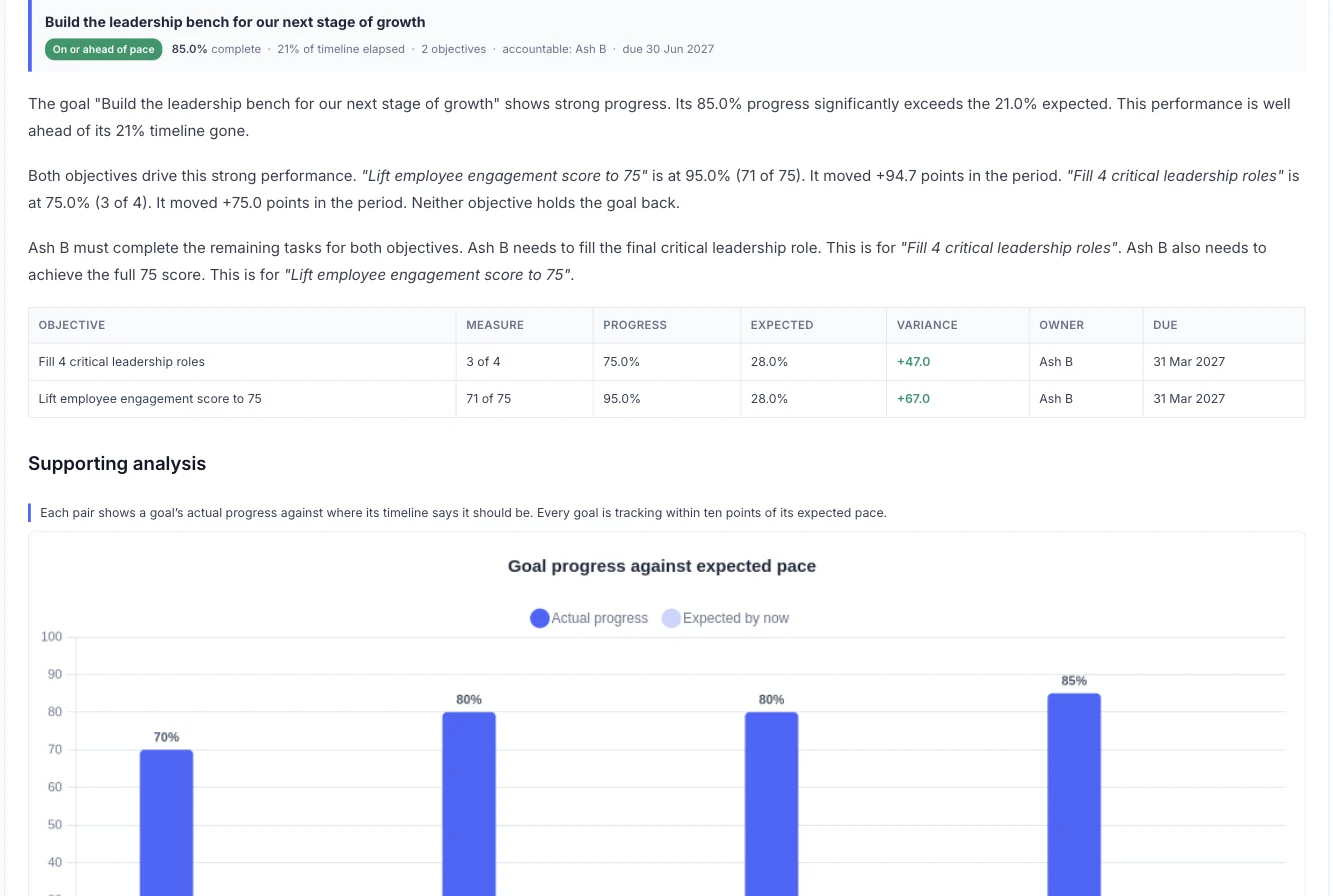
Objectives and key results in one plan
Each objective becomes a goal with one accountable owner. Its key results sit beneath it as measurable objectives, and larger key results break into sub-objectives.
- One accountable owner for each objective
- Key results with a target, a start date and a due date
- Sub-objectives for team-level results
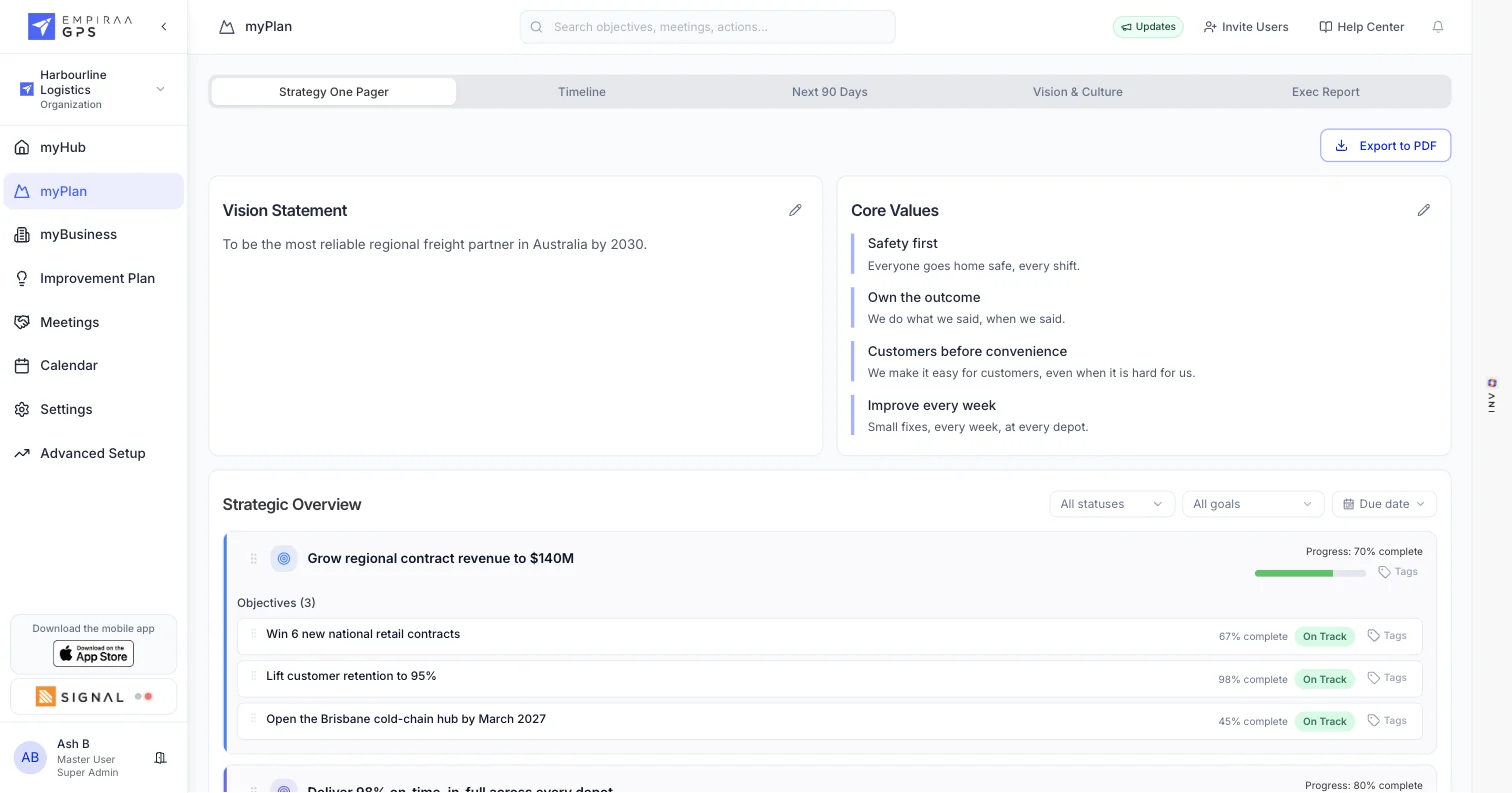
Key results measured against pace
Every key result shows its current progress, where it should be today and the gap between them. Owners update it in seconds, and every update is kept in its history.
- Current and expected progress
- On track, off track, started, not started and overdue
- Full progress history
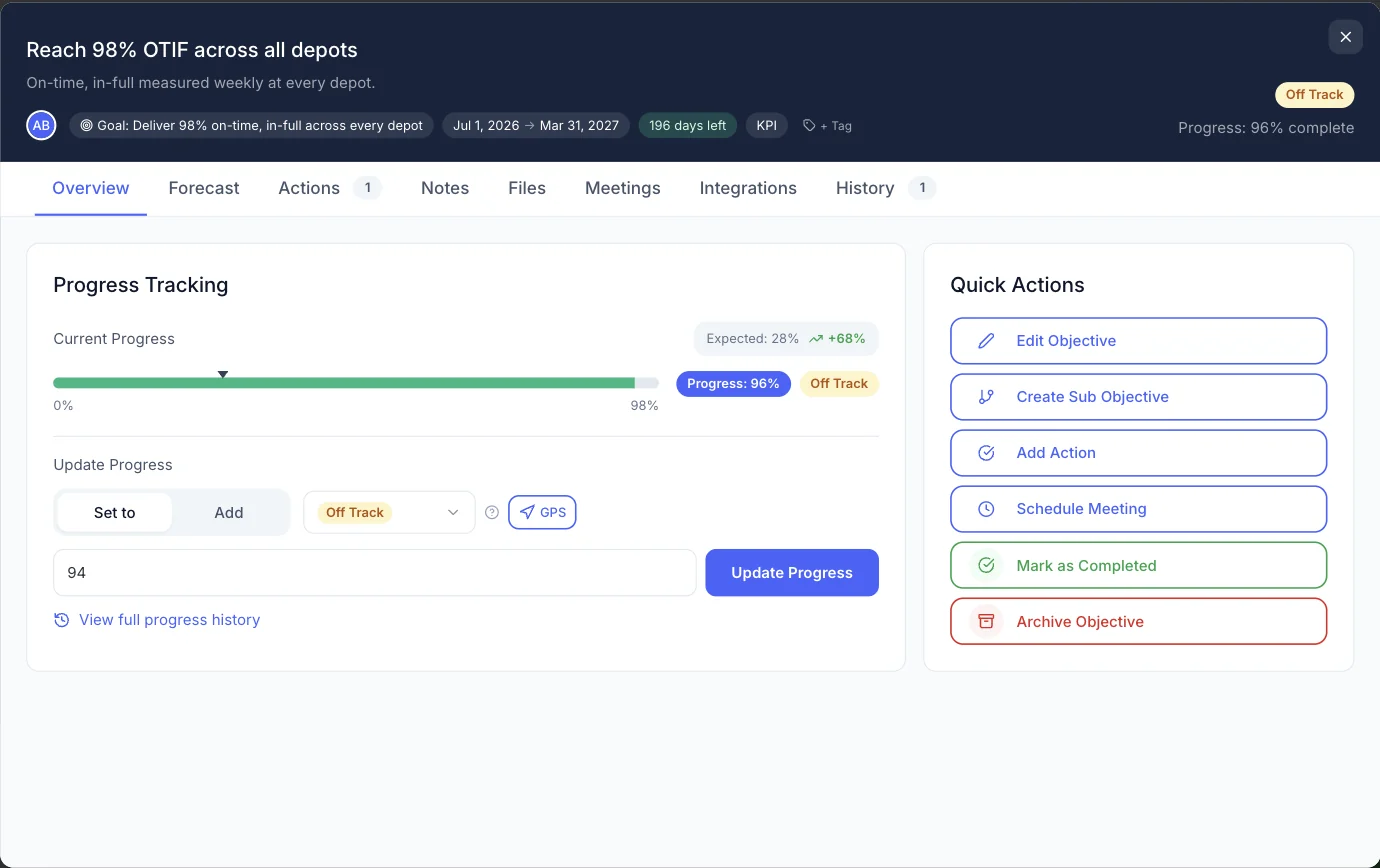
Actions that move each key result
Link actions to the key result they move, with an owner, a due date and a priority. Everyone’s home screen shows their current goals, objectives and actions.
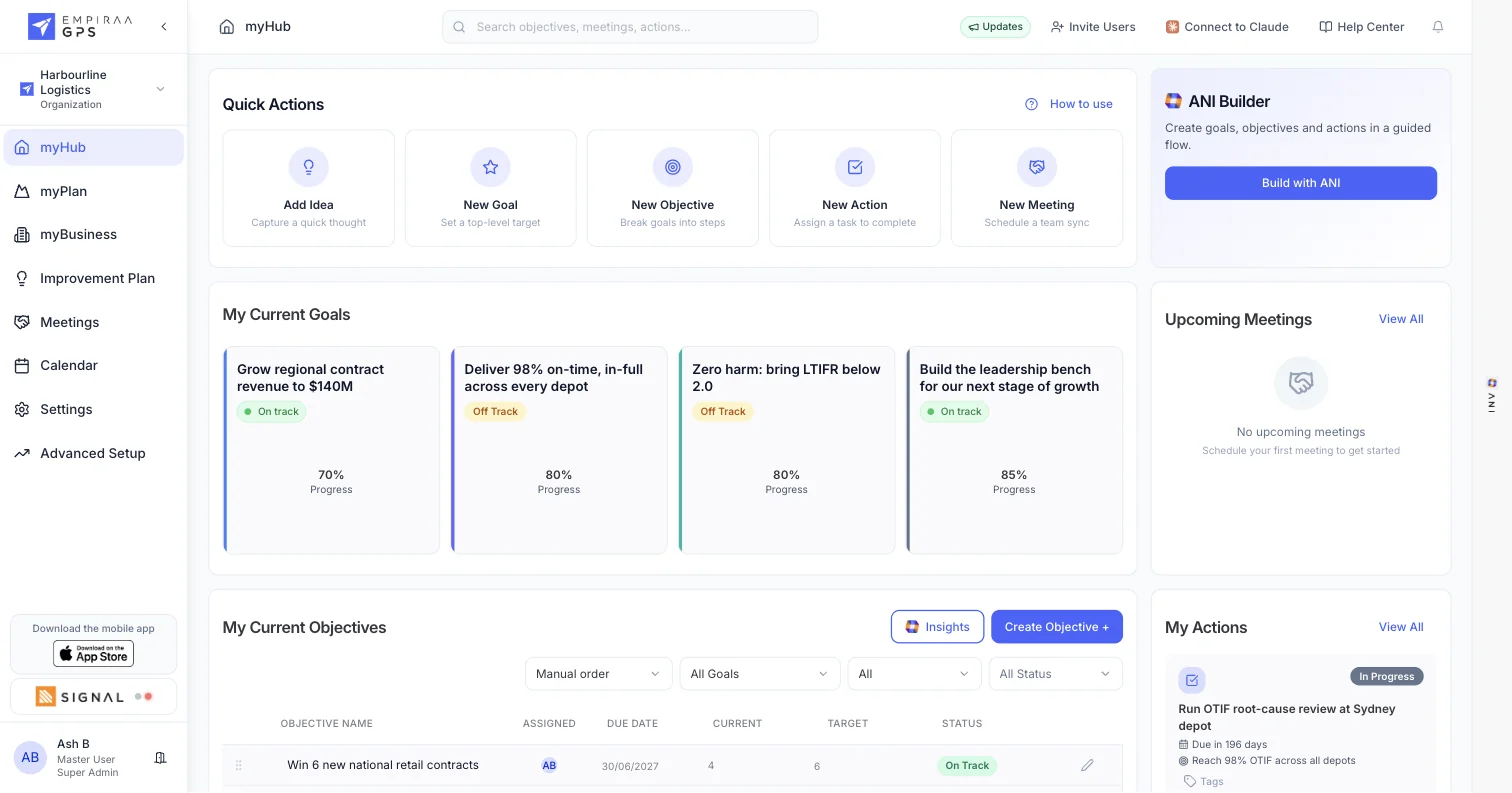
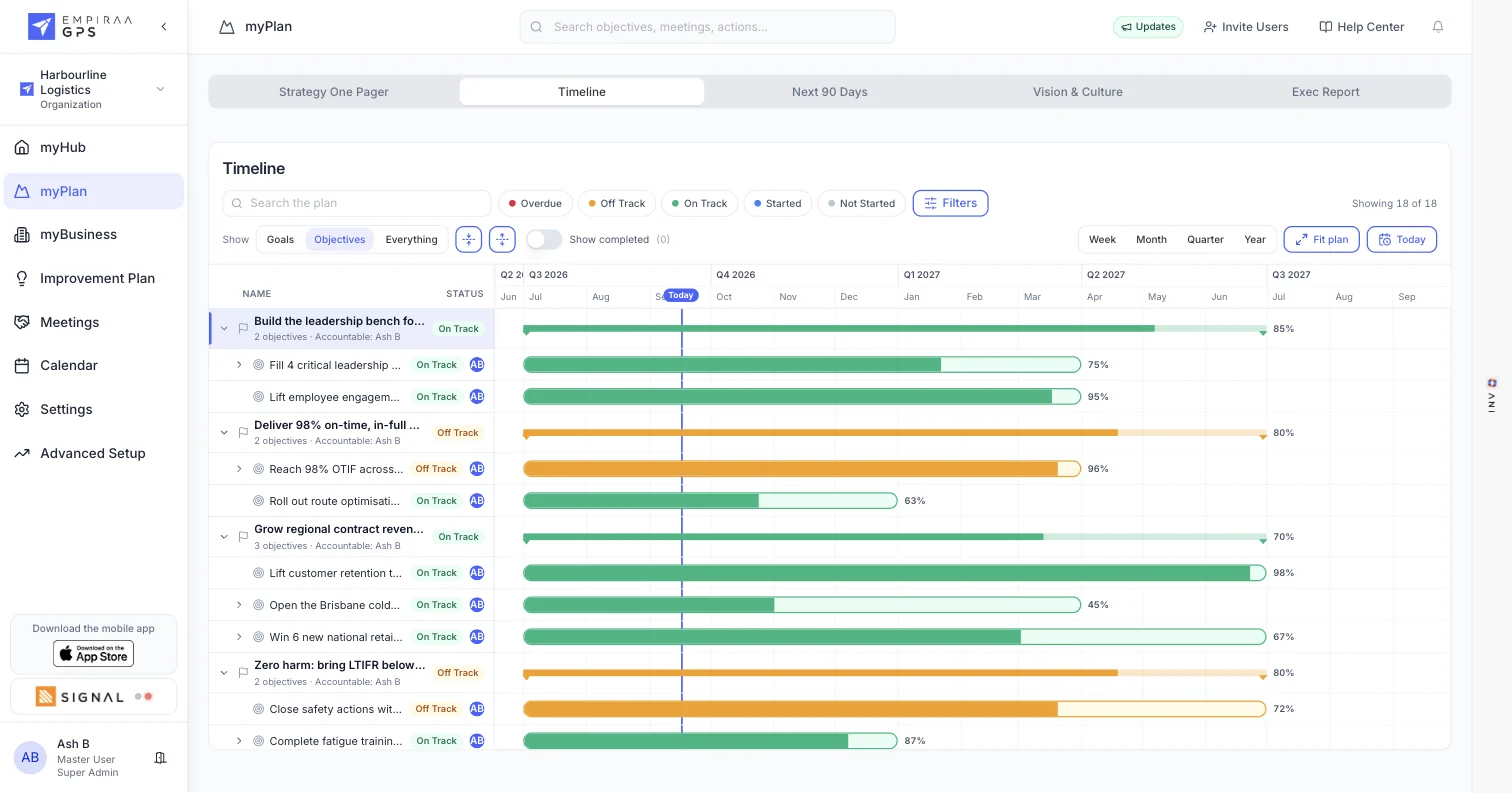
The quarter on a timeline
See every objective and key result across the quarter or the year, with a line marking today, so the ones falling behind stand out.
What you get
Everything an OKR cycle needs.
OKR features
Weekly check-ins
Good news, blockers and topics from each owner, before the leadership meeting.
See meetings and check-ins
ANI insights
ANI reads every key result and puts the ones that need action first.
See ANI in GPSTags
Group key results across objectives, for example by team or quarter.
Private goals
Keep sensitive objectives visible only to the people who need them.
Connected numbers
Map key results to Xero accounts, or send values in through the API.
See integrationsReports from live data
Board and leadership reports that show every result against pace.
See board reportingRollout
Live in weeks, with our team doing the heavy lifting.
Implementation and training are included in every plan, so your leaders spend their time on the strategy, not the software.
How a rollout runs
Load your OKRs
Your strategy becomes goals, objectives and actions, each with an owner.
Map owners and teams
We build your Accountability Chart and connect the systems you already run.
Set the rhythm
Check-ins and meetings for your leadership team, and training for your leaders.
First report from GPS
Your next leadership or board report comes straight out of GPS.
Start with the executive team.
Run a 30-day pilot with one leadership team, using your real plan, before you roll GPS out further. We agree the pilot terms with you in the demo.
The language
How OKRs map to GPS.
GPS uses its own names for each level. An OKR objective is a goal in GPS, and each key result is an objective.
OKR terms in GPS
| In OKRs | In Empiraa GPS |
|---|---|
| Objective | Goal, with one accountable owner |
| Key result | Objective, with a target, a start date, a due date and an owner |
| Team key result | Sub-objective under the key result it supports |
| Initiative | Action, with an owner, a due date and a priority |
| Weekly check-in | Check-in before the leadership meeting |
| Quarterly review | A report written from live data, edited by your team |
Who it’s for
For the leaders who own the results.
By role
Questions
OKR questions, answered.
What are OKRs?
OKRs, or objectives and key results, are a goal-setting method. An objective says what you want to achieve, and two to five key results say how you will measure it, usually over a quarter.
Is there a separate OKR tool inside GPS?
No. OKRs run on the same plan as everything else. An OKR objective is a goal in GPS, and each key result is an objective with a target and dates, so OKRs sit next to your KPIs and other priorities.
How does GPS show that a key result is behind?
Each key result has a target, a start date and a due date. GPS works out where it should be today and shows the gap between that and its current progress.
Can we run company and team OKRs?
Yes. Set company objectives as goals with key results beneath them, and break a key result into sub-objectives for the teams that deliver it.
Can we bring in the OKRs we already have?
Yes. Upload your existing plan and GPS turns it into goals, objectives and actions, or our team loads it with you as part of implementation. See strategic planning.
Can we try it first?
Yes. We run 30-day pilots with one leadership team, using your real plan. We agree the pilot terms with you in the demo. See how pricing and pilots work.

Question not answered here? Ask ANI and get a straight answer.
See your OKRs measured against pace.
Start for free and bring your goals, people and progress into GPS.