

HubSpot integration
Sales performance, tied to the strategy. Straight from HubSpot.
The Empiraa GPS HubSpot integration syncs contacts, deals and pipeline metrics into GPS, so your revenue and sales objectives line up with what is happening in your CRM.
- Set up with your plan
- Unlimited users
- 30-day pilot
 Empiraa GPSHubSpot
What connects
- Contacts
- Deals
- Pipeline metrics
- Sales objectives in the plan
Category: CRM
Why it matters
The sales plan and the pipeline live in different places.
What gets in the way
Pipeline copied by hand
Someone exports deals and pastes the totals into the plan before each meeting.
Sales goals out of date
Revenue objectives show last month’s pipeline, not this week’s.
Two versions of the truth
Sales leaders quote the CRM, and the plan says something else.
How it works
Connect the CRM to the plan it serves.
HubSpot and GPS
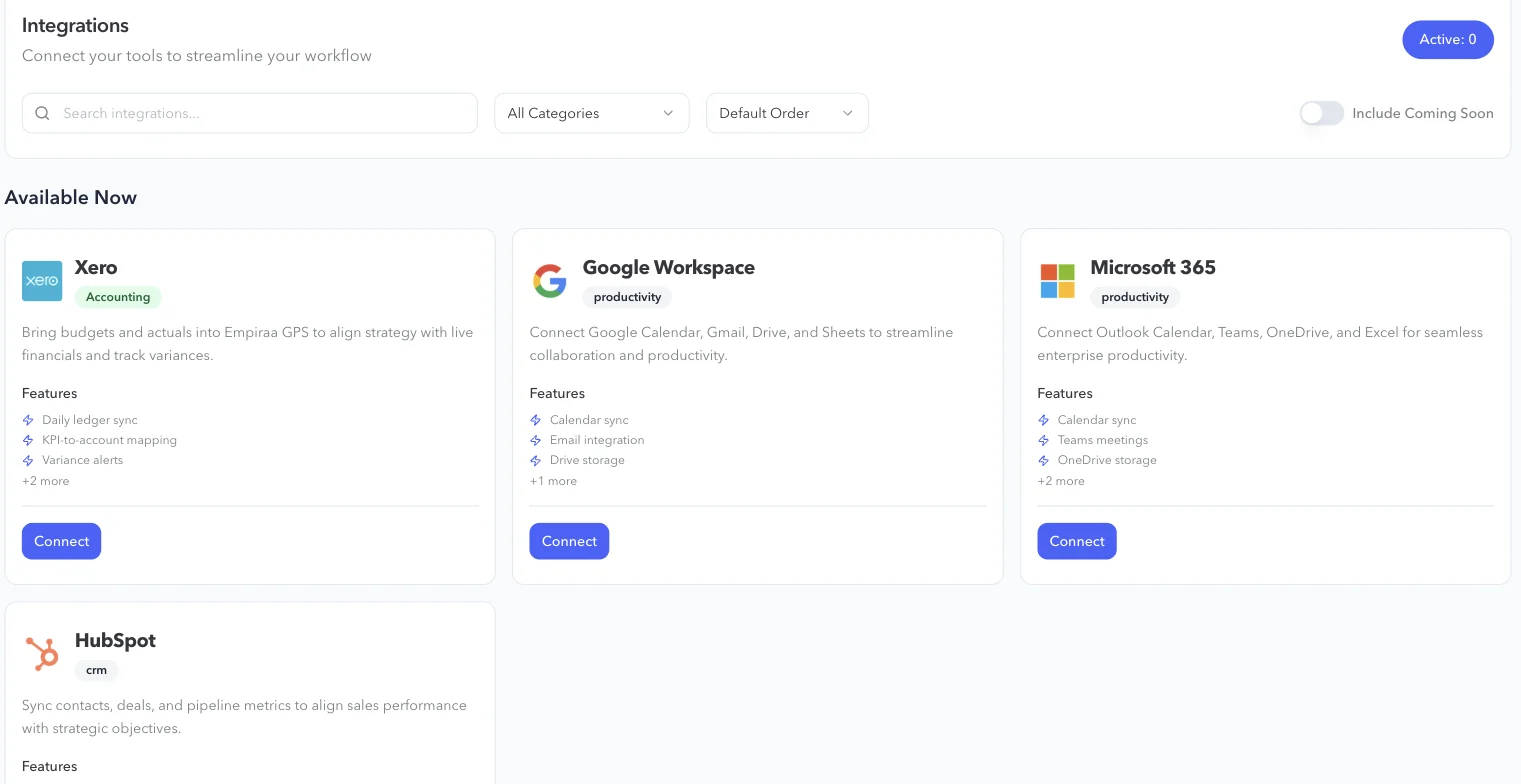
Connect HubSpot in GPS
Open Integrations in GPS, choose HubSpot and press Connect, then sign in to your HubSpot account.
- Contacts
- Deals
- Pipeline metrics
Line sales objectives up with the pipeline
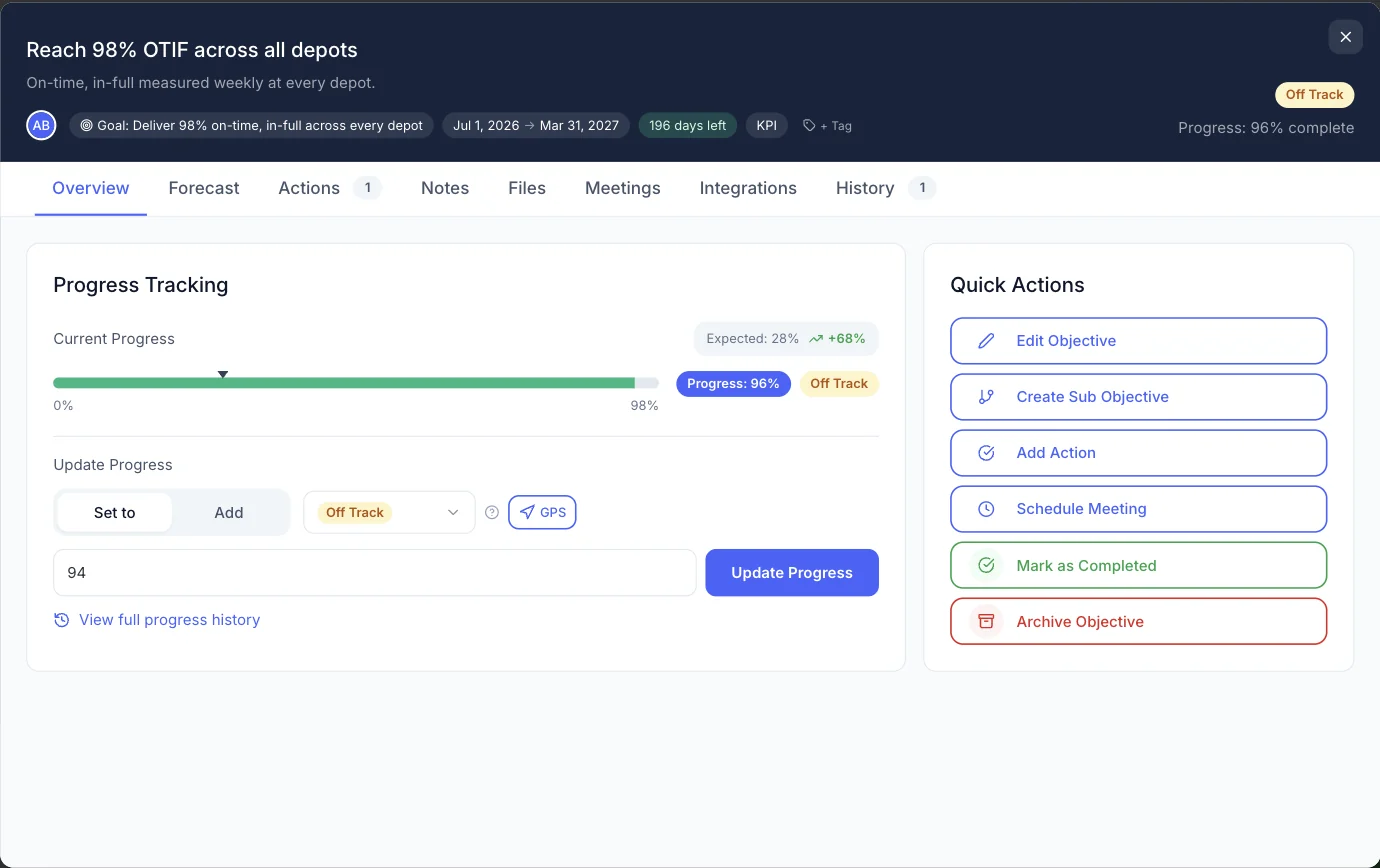
Use pipeline metrics to keep revenue and sales objectives current, so progress reflects your CRM rather than a spreadsheet.
Report sales and strategy together
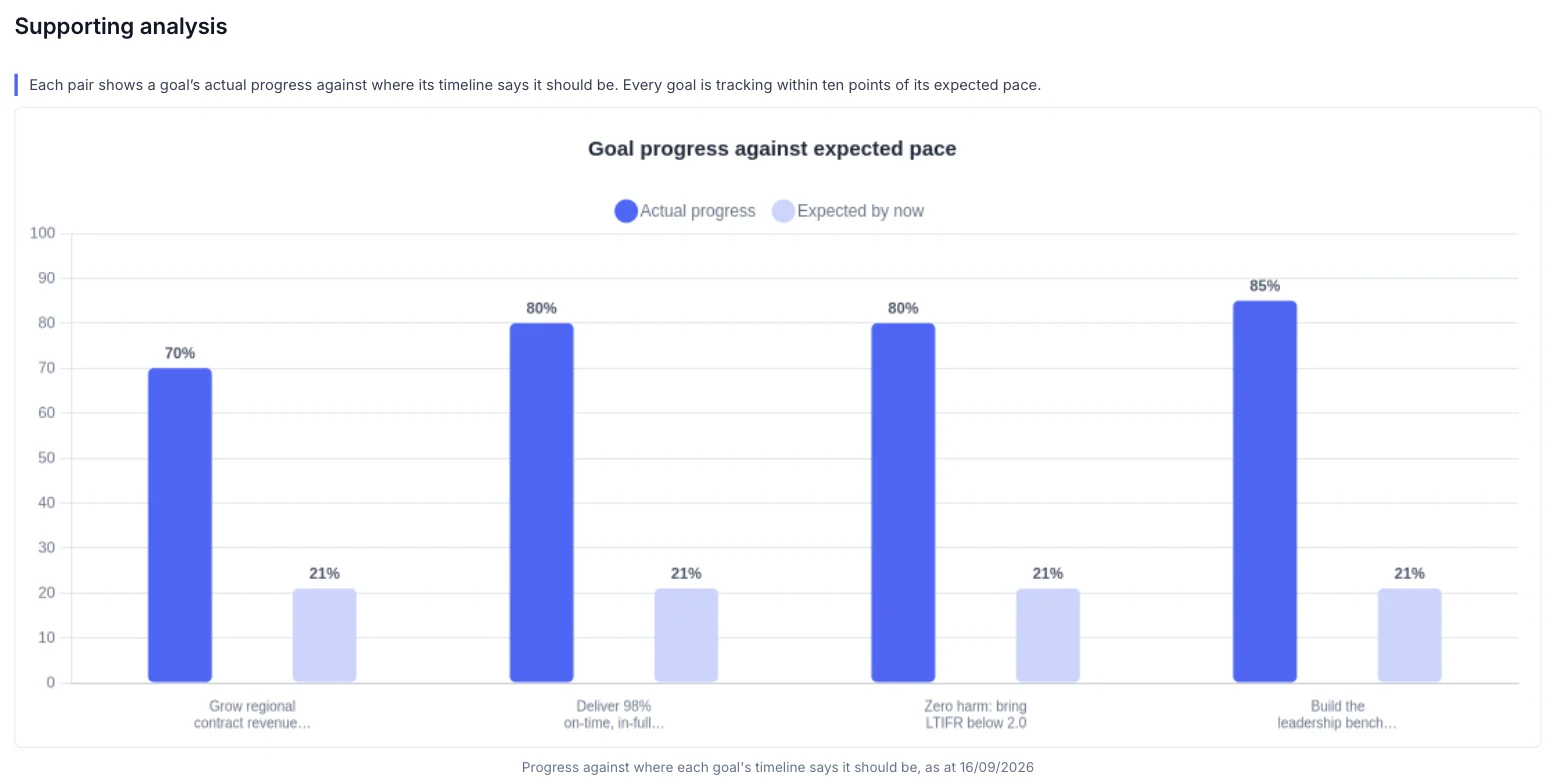
Revenue goals appear in board and leadership reports with their progress against expected pace.
What you get
What the HubSpot integration does.
HubSpot features
Contacts
Sync your HubSpot contacts into GPS.
Deals
Sync your deals, so sales objectives see the work behind them.
Pipeline metrics
Bring pipeline metrics into the plan to track sales performance.
Sales objectives
Keep revenue and sales objectives aligned with the CRM.
Reports
Revenue goals in board and leadership reports.
Access by role
Choose who can see sales goals and objectives.
Who it’s for
Sales and strategy, on the same page.
By role
Head of sales or commercial
Show how the pipeline moves the plan, without building a separate report.
CEO or MD
See revenue goals next to the deals that will deliver them.
CFO
Compare the pipeline with the revenue targets in the plan.
Questions
HubSpot integration questions, answered.
What does the HubSpot integration sync?
Contacts, deals and pipeline metrics.
Why connect a CRM to a strategy platform?
So revenue and sales objectives reflect the pipeline, and leaders see sales performance next to the goals it serves.
Who can see sales data in GPS?
Access is set by role, and goals and objectives can be kept private. See how GPS protects your data.
Do we need HubSpot to use GPS?
No. GPS works without it. Connect HubSpot when you want sales objectives to follow your CRM.

Question not answered here? Ask ANI and get a straight answer.
See your pipeline and your plan together.
Start for free and bring your goals, people and progress into GPS.