

Google Workspace integration
GPS, alongside the Google tools you run.
The Empiraa GPS Google Workspace integration connects Google Calendar, Gmail, Drive and Sheets, so your leadership meetings, email and plan stay in step. Your team can also sign in to GPS with their Google account.
- Set up with your plan
- Unlimited users
- 30-day pilot
 Empiraa GPSGoogle Workspace
What connects
- Google Calendar sync
- Gmail
- Drive storage
- Sheets
- Sign in with Google
Category: productivity
Why it matters
Strategy shouldn’t live apart from where work happens.
What gets in the way
Two calendars
Leadership meetings are booked in Google Calendar, and the plan knows nothing about them.
Files everywhere
The documents behind each priority are scattered across drives and inboxes.
Another password
A separate login is one more reason for people not to open the plan.
How it works
Connect Google Workspace once, and GPS fits your day.
Google Workspace and GPS
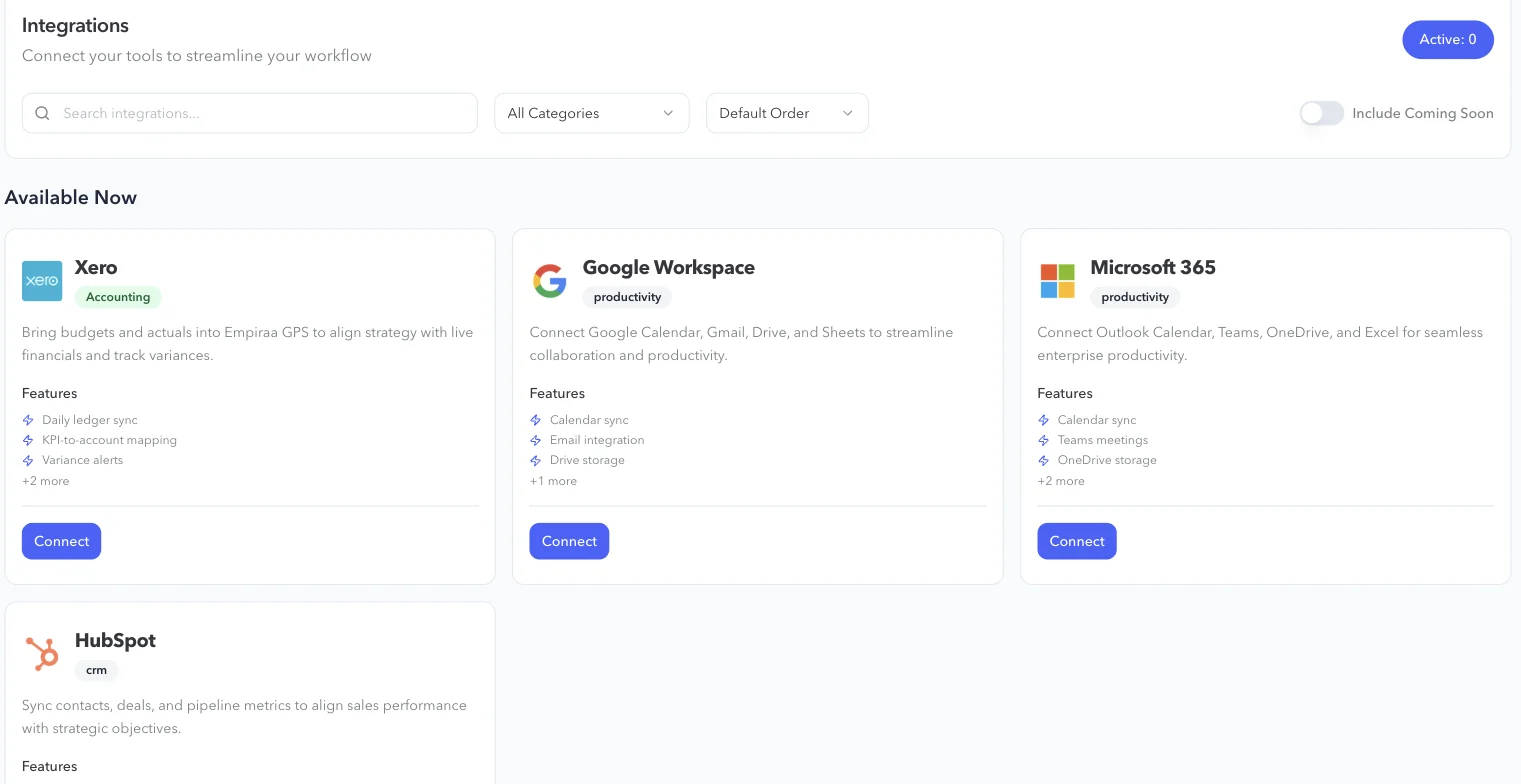
Connect Google Workspace in GPS
Open Integrations in GPS, choose Google Workspace and press Connect, then sign in with your Google account.
- Google Calendar
- Gmail
- Drive
- Sheets
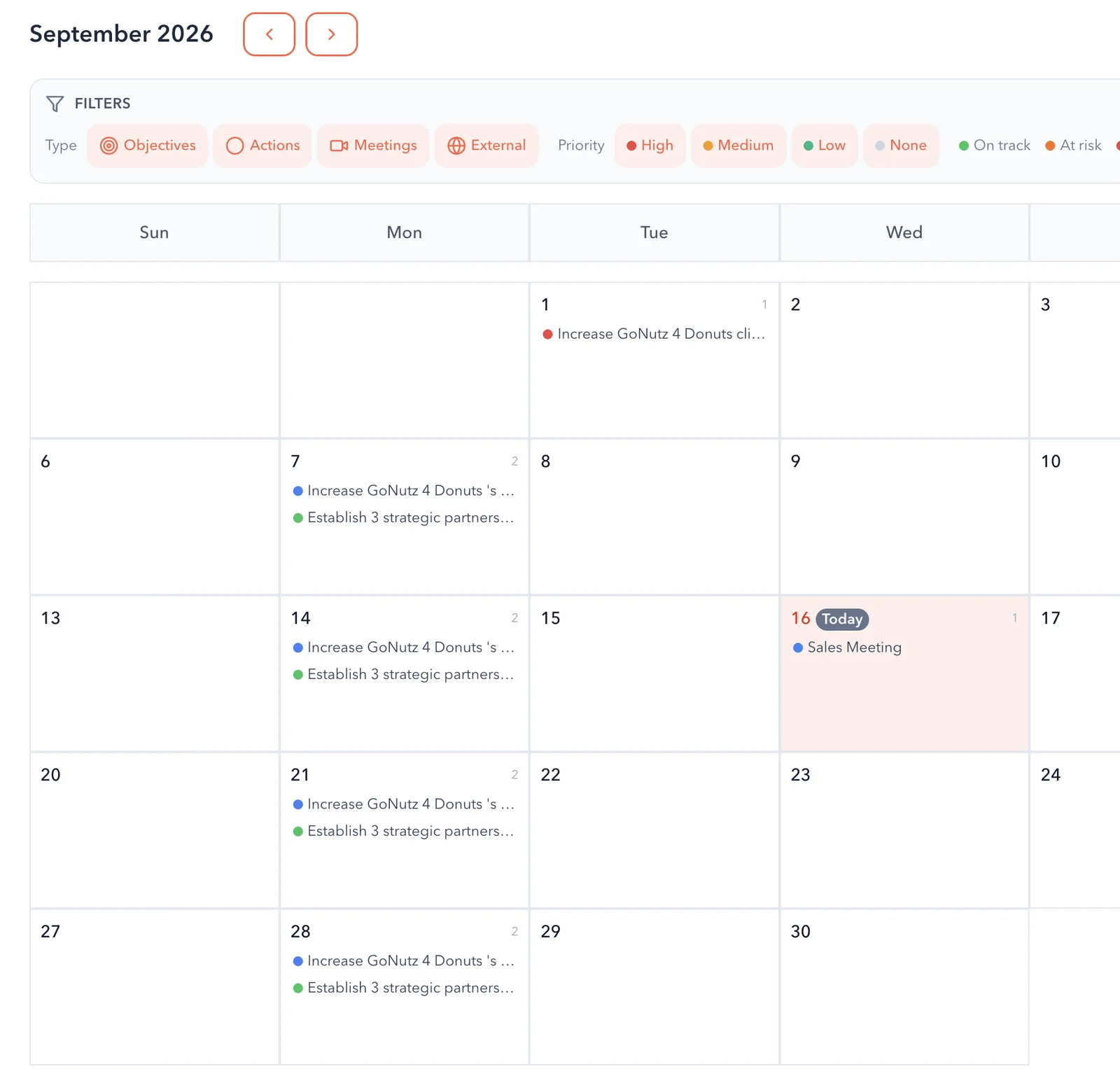
Your calendar, next to the plan
Calendar sync brings Google Calendar into GPS, so external events sit on the GPS calendar beside the objectives, actions and meetings due.
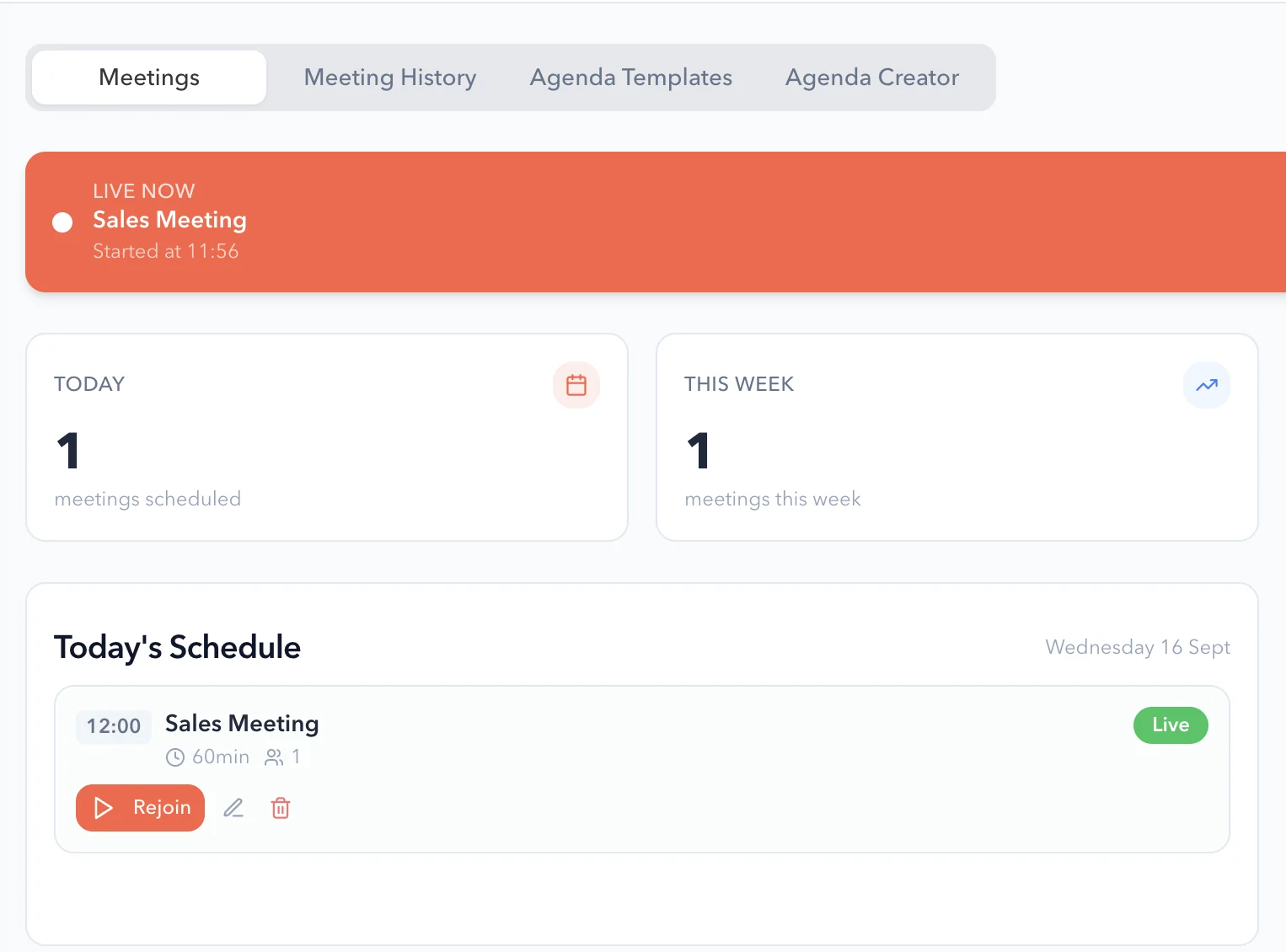
A weekly rhythm in one place
Run the check-ins, agenda and actions for your leadership meetings in GPS, with the meetings in your Google Calendar.
What you get
What the Google Workspace integration does.
Google Workspace features
Calendar sync
Keep Google Calendar and the GPS calendar in view together.
Email integration
Connect Gmail as part of the Google Workspace integration.
Drive storage
Connect Google Drive for the files behind your plan.
Sheets
Connect Google Sheets as part of the integration.
Sign in with Google
Your team signs in to GPS with their Google account.
Unlimited users
Bring the whole business into GPS without adding seat costs.
Questions
Google Workspace integration questions, answered.
What does the Google Workspace integration connect?
Google Calendar, Gmail, Drive and Sheets, with calendar sync, email integration and Drive storage.
Can we sign in to GPS with Google?
Yes. Choose Continue with Google on the GPS sign-in screen.
Do we need Google Workspace to use GPS?
No. GPS works on its own, and it also connects to Microsoft 365. See the Microsoft 365 integration.
How is our data protected?
Data is encrypted in transit and at rest, access is set by role, and each organisation’s data is kept separate. Read about security.

Question not answered here? Ask ANI and get a straight answer.
See GPS working with Google Workspace.
Start for free and bring your goals, people and progress into GPS.